5
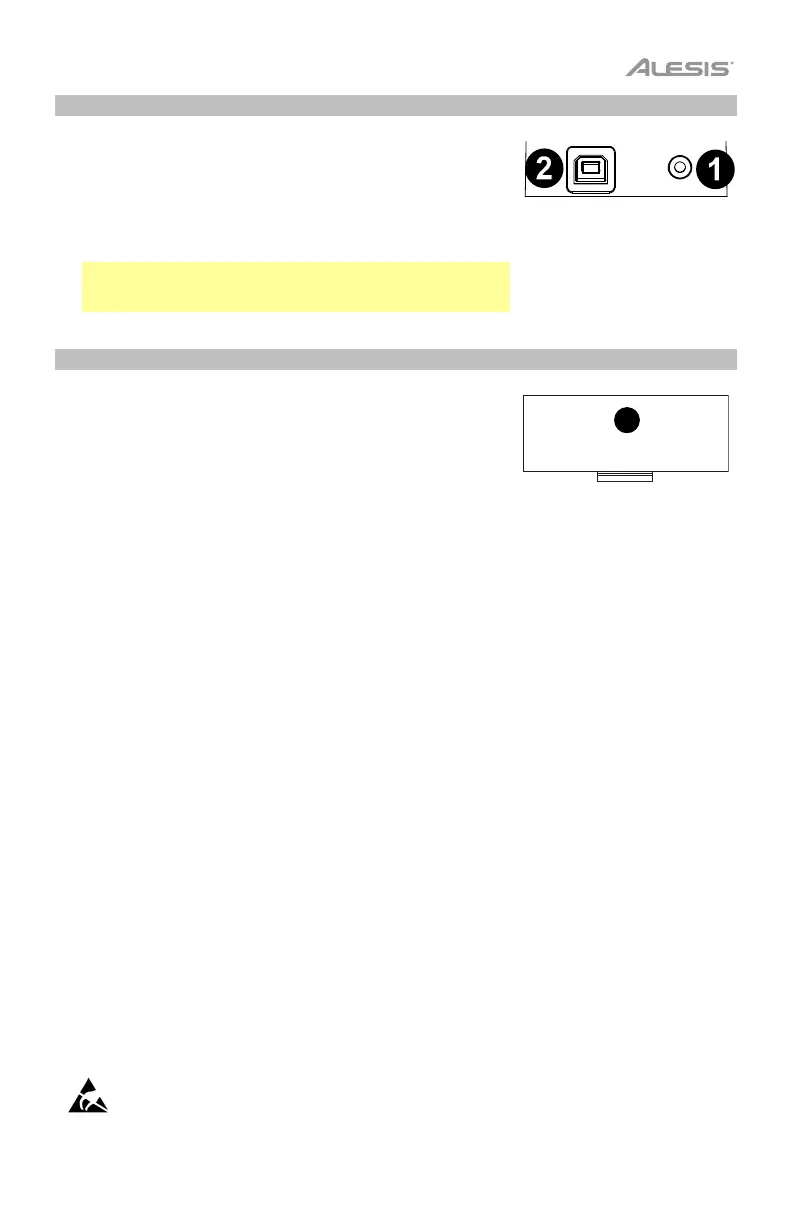
Rear Panel
1. Headphone Output (1/8” / 3.5 mm TRS): Connect headphones
(not included) to listen to your keyboard. When headphones are
connected, the internal speakers will be muted for private practice.
2. USB-MIDI Port: Use the included USB cable to connect this port
to a Mac/PC to interact with music educational or recording
software. Batteries are not required to power Harmony 32 when it
is connected to a Mac/PC.
Note: You can also use the included USB cable for connecting to a
standard USB wall power adapter (not included) to use this
keyboard on its own without needing batteries.
Bottom Panel
1. Battery Compartment: Install 4 AA batteries (not included) here
to power the keyboard without using the USB-MIDI port.
Avoid touching the USB port, the headphone output, or the area around these connections while
using this keyboard with a computer. This may cause the keyboard to temporarily stop working or
act abnormally.


 To Next Page