ION QUICK START OWNERS MANUAL
(ENGLISH)
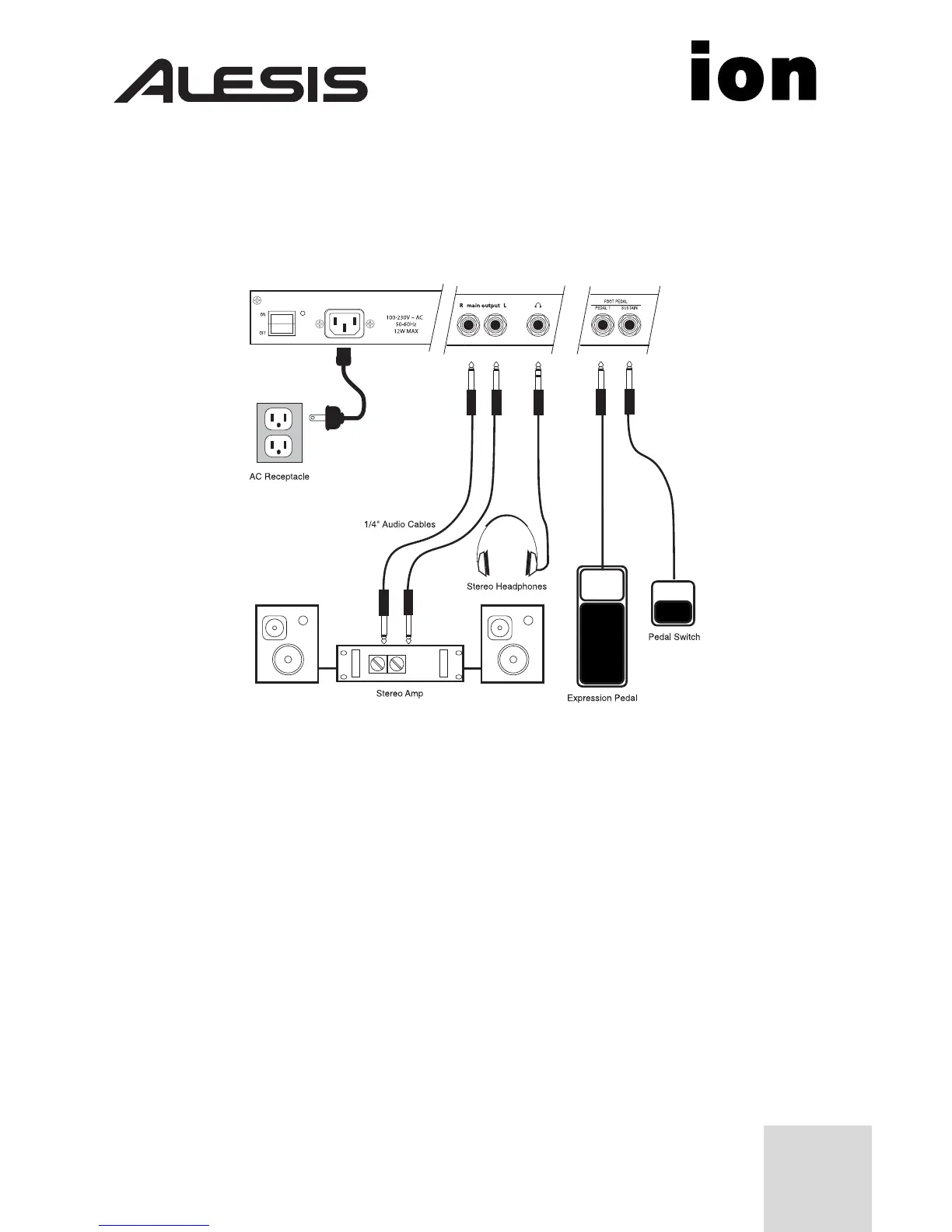
Connection Diagram
Connecting AC Power
Before making any power connections, make sure the Ion’s power switch
is turned off.
1. Plug the female end of the power cable into the Ion’s
power socket.
2. Plug the male (plug) end into a properly grounded power outlet.
Making Audio Connections
• Stereo. Connect two cables from the Ion’s left and right outputs to
two inputs of an amp or mixer.
• Headphones. Plug a set of headphones into the headphone jack on
the rear panel.
1



 To Next Page