3
MICRON QUICK START OWNER’S MANUAL
(ENGLISH)
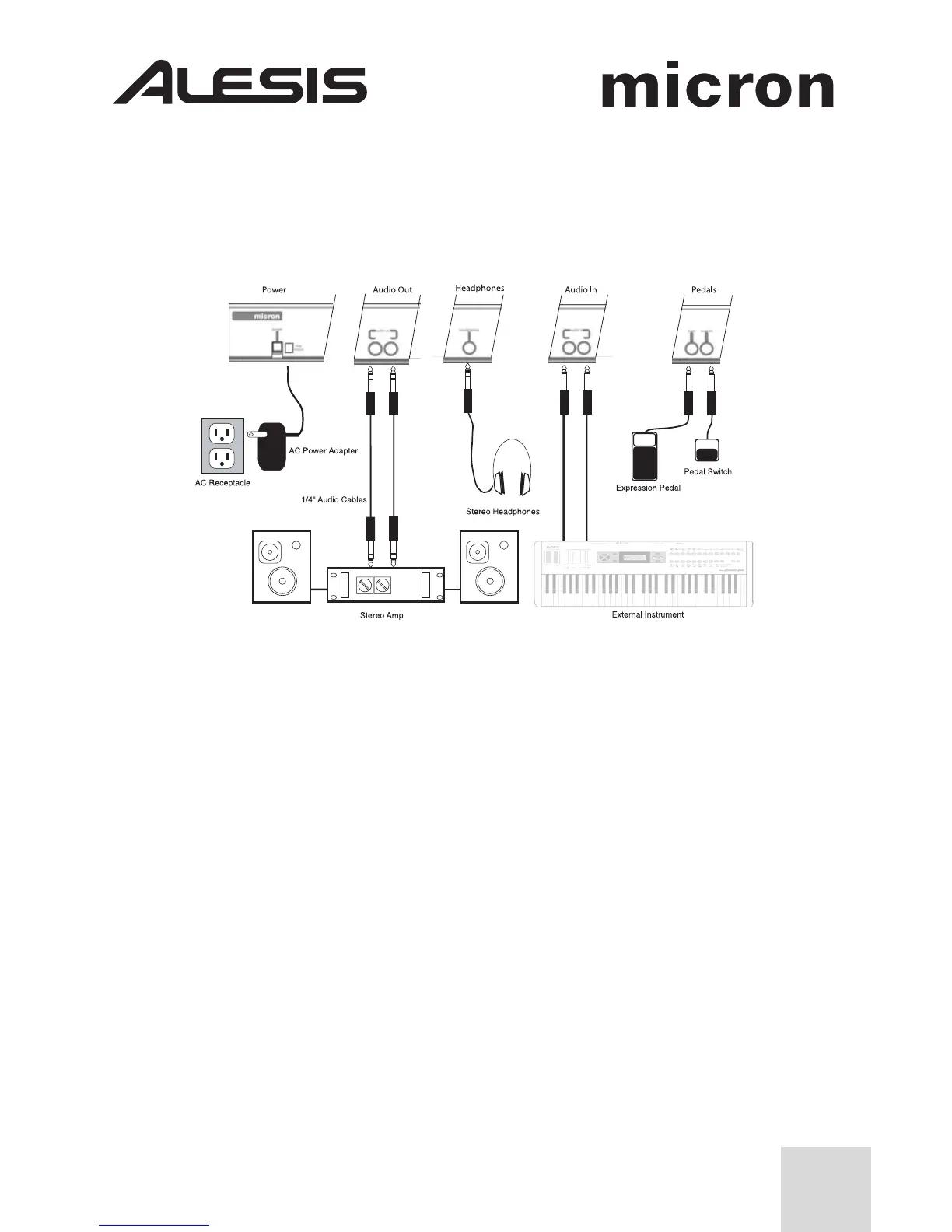
Connection Diagram
Connecting AC Power
Before making any power connections, make sure the Micron’s power switch is
turned off. Then, plug the power adapter into the Micron’s power socket and into
a power outlet.
Making Audio Connections
Stereo. Connect two cables from the Micron’s left and right outputs to two inputs
of an amp or mixer.
Headphones. Plug a set of headphones into the headphone jack on the rear
panel.
Connecting the Foot Pedals
• Connect a keyboard sustain pedal (not included) to the (sustain) input.
When you turn the Micron on, the Micron will automatically sense and calibrate
itself to the pedal.
• You can plug an optional continuous-controller expression pedal, such as the
Roland EV-5 pedal, into the (expr) input.



 To Next Page