Mix Mode
QuadraSynth Reference Manual 43
CHAPTER 5
MIX MODE
What Mix Mode Does
Mix Mode is one of the most powerful features of the QuadraSynth. While in
Program Mode you can play only one Program at a time, in Mix Mode you can play
up to 16 Programs at once, either from the keyboard (as layers or splits) or from an
external sequencer (via 16 MIDI channels) or a combination of both.
With Mix Mode, you can do the following:
¥ Combine ("stack" or "layer") different Programs so they can be played
simultaneously from the keyboard. For example, stack a piano on top of a brass
patch and a string patch, adjusting the volume of each for a desirable mix. (Note
that the stacking of Programs in Mix Mode is in addition to any sounds that may
be stacked in the four sound layers of each Program.)
¥ Split the keyboard into different zones--for example, the classic bass guitar on the
left-hand side of the keyboard and synth or piano on the right. You can split the
keyboard into as many as 16 zones (as is demonstrated on Preset Mix 00).
¥ Transmit on different MIDI channels simultaneously.
¥ Receive up to 16 MIDI channels from an external sequencer, with each channel
representing a different instrument--bass on Ch. 1, piano on Ch. 2, drums on Ch.
10, trumpet on Ch. 16. Mix Mode is the multitimbral mode of the QuadraSynth.
¥ Set the relative level, panning, and effect send of each MIDI channel (hence, "Mix
Mode").
Mix Edit Mode
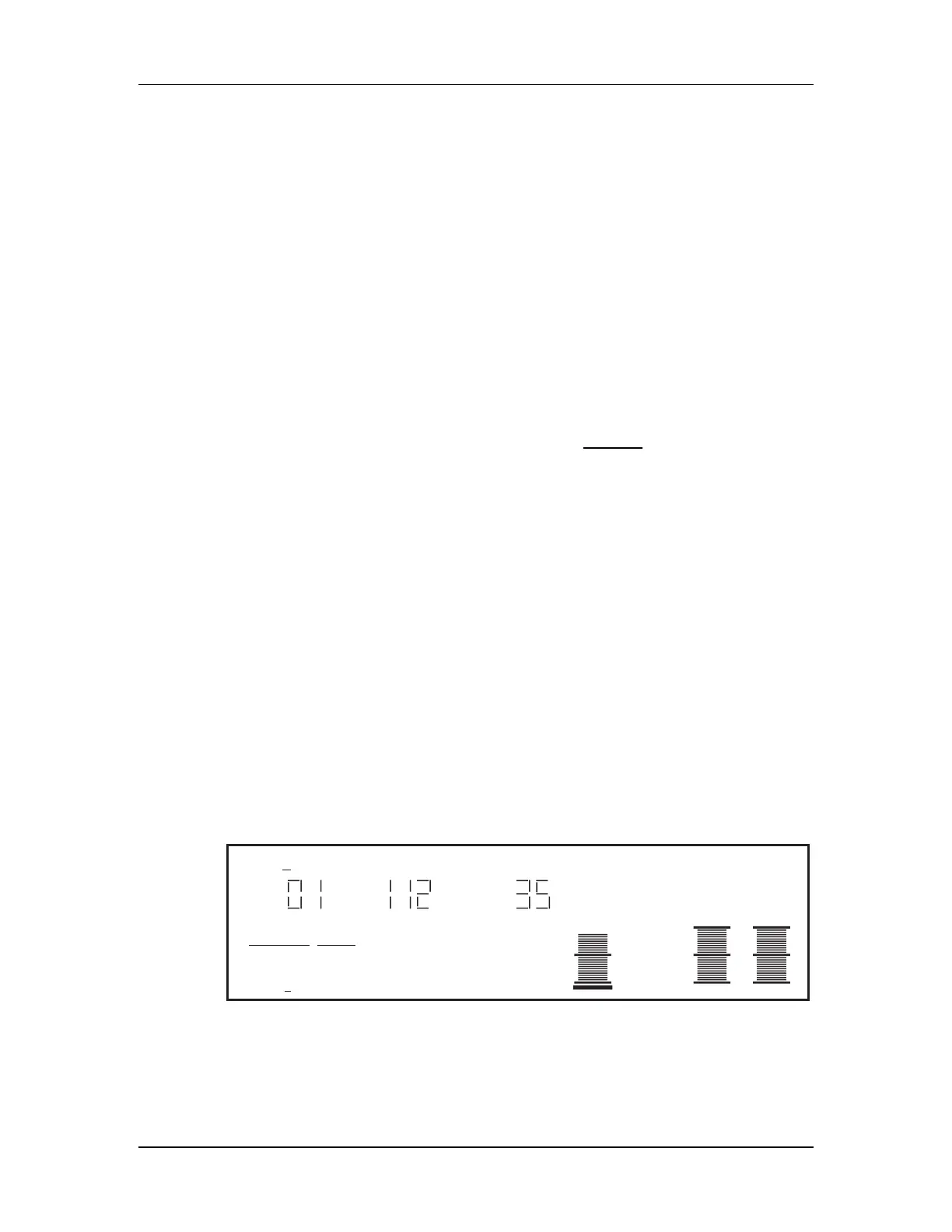
To edit a Mix you must select Mix Edit mode. Press [SELECT] from Mix Mode.
"Editing: Mix" should appear in the edit status section of the display:
PROG EFFECT
PRESET PRESET
EDITING: MIX
PAGE:
1
"Mystic5ths"
NUMBER TYPE ENABLE
PITCH RANGE EFFECT NAME
MIDI
CHAN
MIX
PRESET
12345678910111213141516
PROGRAM – ASSIGN LEVEL EFFECT–LEVEL
Note: This illustration shows a Mix with all 16 MIDI channels enabled. If a channel is not
enabled, its number will not show in the display unless the MIDI cursor is under the number.
Editing a Mix begins with using the MIDI [¬] and [®] buttons to select the MIDI
channel you want, and assigning a Program number for the channels you want to



 To Next Page