EasyManua.ls Logo

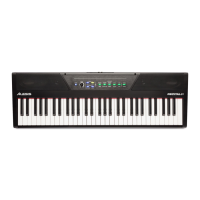
Alesis RECITAL 61 - User Manual

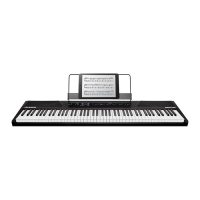
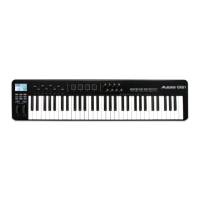
Alesis RECITAL 61
62 pages
Print Icon
To Next Page IconTo Next Page
Loading...
User Manual of Product 1:
Pyle 2-Way Dual Bluetooth Off-Road Speakers - 4 Inch 800W
Marine Waterproof Wakeboard, Full Range Outdoor for ATV,
Snow Mobile UTV, Quad, Jeep, Boat PLUTV46BTA, Black
User Manual of Product 2:
Pyle PLUTV41BK 2-Way Dual Waterproof Off-Road Speakers,
4 Inch 800 Watt Marine Grade Wakeboard Tower Speakers
System, Full Range Outdoor Audio Stereo Speaker for ATV,
UTV, Quad, Jeep, Boat -Black

Questions and Answers

  • M
    Matthew WadeJul 30, 2025
    How to fix wrong pitch on certain notes of my Alesis RECITAL 61?
    • D
      Douglas JohnsonJul 30, 2025
      First, ensure that the transpose value is set to 0. If the issue continues, press and hold the Layer and Lesson buttons simultaneously for 5 seconds to restore the factory default settings.
  • D
    Denise BirdAug 6, 2025
    What to do if my Alesis RECITAL 61 Musical Instrument speakers don't produce sound?
    • L
      Linda LinAug 6, 2025
      First, check that the master volume isn't set too low and that headphones aren't plugged into the headphone output. If the problem persists, press and hold the Layer and Lesson buttons for 5 seconds to factory reset the voice volume settings.
  • J
    jennifer88Aug 13, 2025
    Why is my Alesis RECITAL 61 producing noise or interference?
    • Z
      zwaltersAug 14, 2025
      If you are experiencing noise or interference, it may be due to a mobile phone being used close to the Recital 61 Digital Piano. To resolve this, either turn off the mobile phone or keep it at a distance from the piano.
  • E
    erika67Aug 21, 2025
    Why does my Alesis Musical Instrument make a popping sound when turned on or off?
    • X
      xcarpenterAug 21, 2025
      This popping sound is normal and not a cause for alarm.

Summary

User Guide - Alesis Recital 61

Introduction and Getting Started

Overview of the product, box contents, support, and initial setup instructions.

Features and Controls

Details on the top, rear, and bottom panel features and controls of the digital piano.

Operation Modes and Voices

Explanation of demo songs, voice selection, and playing voice demos.

Advanced Sound Layering and Splitting

Instructions on how to use Layer Mode and Split Mode for sound manipulation.

Advanced Function Mode Operations

Guide to accessing and utilizing advanced functions via specific key combinations.

Voice, MIDI, and Click Tone Settings

Adjusting voice volume, MIDI channel, and click tone settings.

Touch Sensitivity and Transpose

Setting touch response levels and transposing the keyboard pitch.

Metronome Functionality

Using the metronome for tempo, time signature, and volume adjustments.

Effects and Pedal Resonance

Applying reverb and chorus effects, and understanding pedal resonance.

Lesson Mode Features

Utilizing Lesson Mode for educational purposes and changing octave settings.

Power Management and Defaults

Managing auto power off and restoring factory default settings.

Troubleshooting Common Issues

Solutions for common problems encountered with the digital piano.

Appendix - Technical Specifications

Technical Specifications

Detailed specifications including keyboard, polyphony, sounds, and dimensions.

Trademarks and Licenses

Information on trademarks and registered company names.

Alesis RECITAL 61 Specifications

General IconGeneral
Number of Keys61
Type of KeysSemi-weighted
Voices10
EffectsReverb, Chorus
Included AccessoriesPower Adapter, Music Rest
Built-in SpeakersYes
DisplayLCD
Polyphony128
ConnectivityUSB, MIDI
Power SupplyPower adapter or 6

Related product manuals