EasyManua.ls Logo

Alesis CONCERT - User Manual

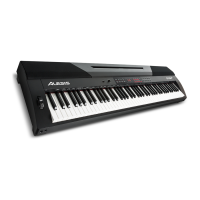
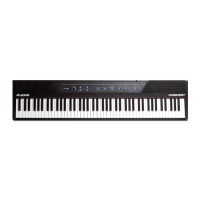
Alesis CONCERT
56 pages
Print Icon
To Next Page IconTo Next Page
Loading...
User Guide
English ( 3 – 12 )
Guía del usuario
Español ( 13 – 22 )
Guide d’utilisation
Français ( 23 – 33 )
Guida per l’uso
Italiano ( 34 – 43 )
Benutzerhandbuch
Deutsch ( 44 – 54 )
Appendix
English ( 55 )

Questions and Answers

  • A
    Amber ClarkJul 28, 2025
    What to do if certain notes produce the wrong pitch on my Alesis CONCERT?
    • H
      Heather BatesJul 28, 2025
      If certain notes on your Alesis Musical Instrument have the wrong pitch, ensure that the transpose value is set to 0. If the problem continues, restore the factory default settings by pressing and holding the Layer and Lesson buttons for 5 seconds.
  • R
    Richard LeeAug 5, 2025
    What to do if my Alesis CONCERT speakers do not produce sound when the keys are played?
    • C
      Christina ThompsonAug 5, 2025
      If your Alesis Musical Instrument speakers aren't producing sound, first check if the master volume is set too low or if headphones are plugged into the Headphone Output, because the speakers will be muted if there are headphones plugged in. If the issue persists, try a factory reset of the voice volume settings by pressing and holding the Layer and Lesson buttons for 5 seconds.
  • M
    morganpaulAug 11, 2025
    Why are my Alesis CONCERT Musical Instrument speakers producing noise or interference?
    • M
      Madeline JohnsonAug 11, 2025
      Noise or interference from your Alesis Musical Instrument speakers might be due to a mobile phone being too close to the Concert Digital Piano. To resolve this, either turn off the mobile phone or move it away from the piano.
  • J
    Jessica LeeAug 20, 2025
    Why do my Alesis CONCERT speakers produce a pop sound when the power is turned on or off?
    • J
      Joshua BoydAug 20, 2025
      The pop sound from the Alesis Musical Instrument speakers when turning the power on or off is normal and no cause for alarm.

Summary

User Guide Introduction and Support

Setup and Connection Guide

Guides the user through the setup process, including music rest assembly and connection diagrams for peripherals.

Piano Features and Controls

Top Panel Overview

Details the function of each button, knob, and indicator on the digital piano's top control panel.

Rear and Bottom Panel Connections

Explains the purpose of all input/output ports and the battery compartment on the rear and bottom panels.

Layer and Split Modes

Advanced Functions and Settings

Voice Volume Control

Adjusts the volume levels for individual voices used in Layer and Split Modes.

Troubleshooting and Specifications

Troubleshooting Guide

Provides solutions for common problems, such as no sound, noise, or incorrect pitch.

Alesis CONCERT Specifications

General IconGeneral
Number of Keys88
Polyphony128-note
Voices10
Power12V DC, 2A power adapter
TypeDigital Piano
Key ActionSemi-weighted
Built-in SpeakersYes
Headphone JackYes
Lesson ModeYes
EffectsReverb, Chorus
Power Supply12V DC, 2A power adapter
ConnectivityUSB, Sustain Pedal Input, Headphone Output

Related product manuals