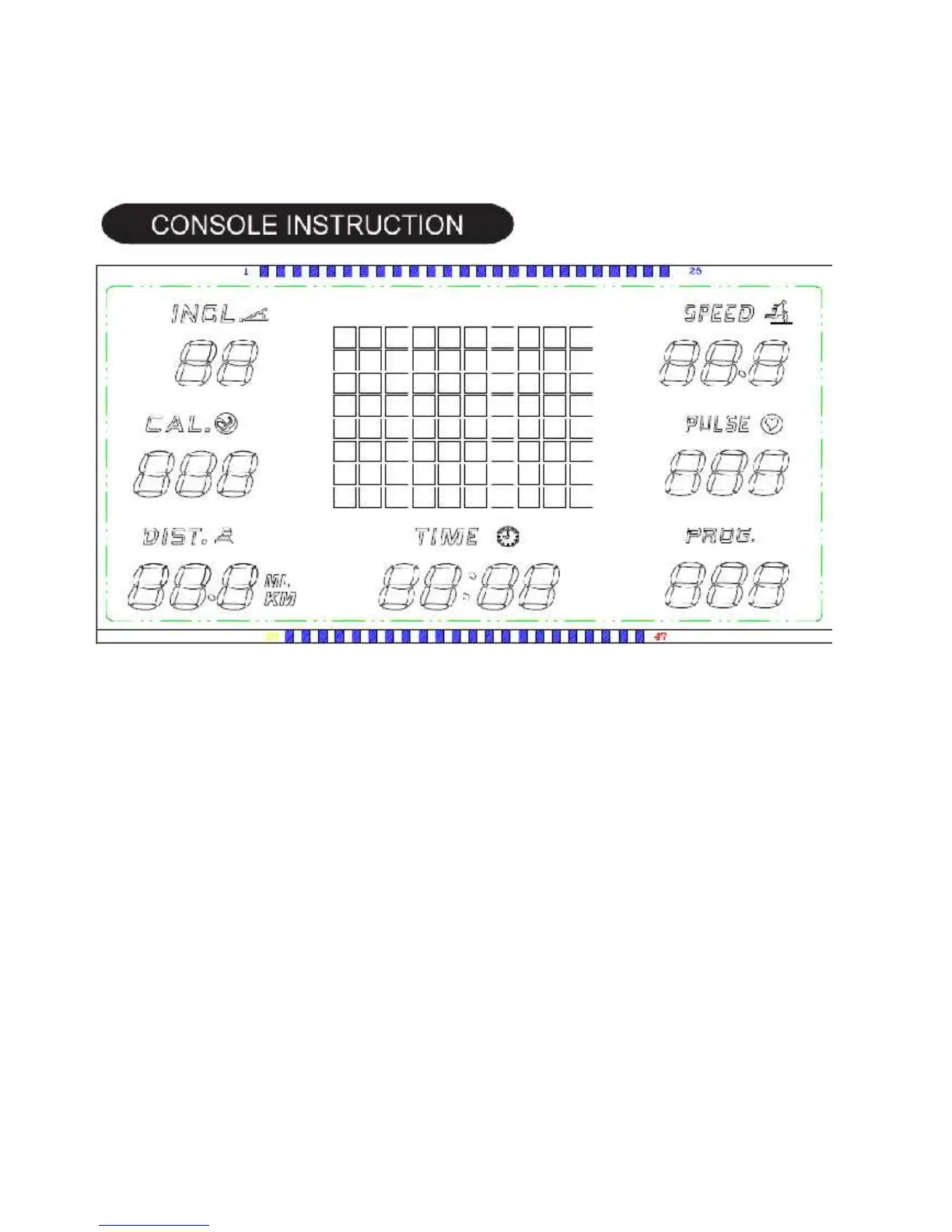
●STEP THREE: Assemble the console.
1. Connect the connecting cables (64) with console (63)
2. Use the supplied screw(7)and washer(31)to fix the console with the side posts.
ONE FUNCTION INSTRUCTION
1.1 There are fifty built-in default automatic mode P1-P50 in computer, 30 minutes for every mode;
1.2 There are two user self-programming mode of computer, two minutes every section, it’s 30 minutes in total.
1.3 Set the countdown time, countdown distance, countdown calories mode;
1.4 Running speed: 1.0-12KM/H
1.5 Manual incline: 3 level
1.6 8 operation key ,there are 4 short cut key on the console;
1.7 Handle pulse function, the inspection range: 40—190;
TWO: BUTTON OPERATION INSTRUCTION
2.1 “SELECT”: select button at at the stopping state, select program mode
2.2 “START/STOP”: RUNNING, STOP button, at the readiness state, turn on the treadmill; at the running state,
suspend the treadmill, and preserve the data;
2.4 SPEED”+”: speed + button, at the running state, press it will be add 0.1KM/H every time ,press it for a long
time ,it will add the speed constantly ,at the stop state, select the work program ;
2.5 SPEED”-“: speed – button, at the running state, press it will decrease 0.1KM/H every time, press it for a long
time, it will decrease the speed constantly, at the stop state, select the work program ;.
9


 To Next Page