EasyManua.ls Logo

Alfa Network AC1200R - User Manual

Alfa Network AC1200R
67 pages
Print Icon
To Next Page IconTo Next Page
Loading...
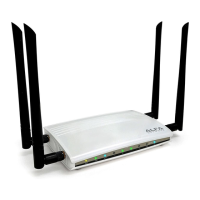
802.11ac Giga-Fast WiFi Router
AC1200R Users Guide

Other manuals for Alfa Network AC1200R

Question and Answer IconNeed help?

Do you have a question about the Alfa Network AC1200R and is the answer not in the manual?

Summary

FCC Statement and Radiation Exposure

FCC Statement

Details compliance with FCC Rules for Class B digital devices and potential radio frequency interference.

Router Features and Panel Layout

1.2 Main Features

Details the router's specifications including 802.11ac, Gigabit ports, security, and advanced functions.

Connecting and Initial Setup

2.3 Connecting the Router

Provides step-by-step instructions for physically connecting the router, modem, and PCs.

Quick Installation Guide

3.2 Quick Installation Guide

Step-by-step guide for initial router configuration using the web utility.

Wireless Network Setup (2.4 GHz;5 GHz)

Configuring basic wireless settings for both 2.4GHz and 5GHz bands.

Wireless Security Setup

Setting up wireless security using WPA-PSK/WPA2-PSK with strong encryption keys.

Router Configuration and Management

4.4 WPS Setup

Using Wi-Fi Protected Setup (WPS) for easy wireless device connection.

LAN Interface Configuration

Setting up the router's local area network (LAN) parameters.

WAN Interface Configuration

Configuring the router's WAN interface for internet connectivity.

4.6 Wireless Configuration

Settings for basic and advanced wireless network configuration.

Basic Wireless Settings

Configuring wireless band, mode, SSID, and channel for the network.

Wireless Security Settings

Configuring wireless security modes: WEP, WPA, WPA2, and WPA-Mixed.

4.7 Firewall Configuration

Setting up firewall rules for port filtering, IP filtering, MAC filtering, and port forwarding.

Denial-of-Service (DoS) Protection

Enabling and configuring DoS prevention measures to protect against network attacks.

System Logging and Firmware Upgrade

Managing system logs and upgrading the router's firmware.

Summary

FCC Statement and Radiation Exposure

FCC Statement

Details compliance with FCC Rules for Class B digital devices and potential radio frequency interference.

Router Features and Panel Layout

1.2 Main Features

Details the router's specifications including 802.11ac, Gigabit ports, security, and advanced functions.

Connecting and Initial Setup

2.3 Connecting the Router

Provides step-by-step instructions for physically connecting the router, modem, and PCs.

Quick Installation Guide

3.2 Quick Installation Guide

Step-by-step guide for initial router configuration using the web utility.

Wireless Network Setup (2.4 GHz;5 GHz)

Configuring basic wireless settings for both 2.4GHz and 5GHz bands.

Wireless Security Setup

Setting up wireless security using WPA-PSK/WPA2-PSK with strong encryption keys.

Router Configuration and Management

4.4 WPS Setup

Using Wi-Fi Protected Setup (WPS) for easy wireless device connection.

LAN Interface Configuration

Setting up the router's local area network (LAN) parameters.

WAN Interface Configuration

Configuring the router's WAN interface for internet connectivity.

4.6 Wireless Configuration

Settings for basic and advanced wireless network configuration.

Basic Wireless Settings

Configuring wireless band, mode, SSID, and channel for the network.

Wireless Security Settings

Configuring wireless security modes: WEP, WPA, WPA2, and WPA-Mixed.

4.7 Firewall Configuration

Setting up firewall rules for port filtering, IP filtering, MAC filtering, and port forwarding.

Denial-of-Service (DoS) Protection

Enabling and configuring DoS prevention measures to protect against network attacks.

System Logging and Firmware Upgrade

Managing system logs and upgrading the router's firmware.

Alfa Network AC1200R Specifications

General IconGeneral
Frequency Bands2.4 GHz, 5 GHz
WAN Port1 x 10/100/1000 Mbps
LAN Ports4 x 10/100/1000 Mbps
Wireless Standard802.11ac
Maximum Wireless Speed1200 Mbps
SecurityWPA, WPA2, WPS
FeaturesGuest Network, Parental Control, QoS
VPN SupportPPTP, L2TP

Related product manuals