ALFA Network Inc.
3.2.2 General Setting
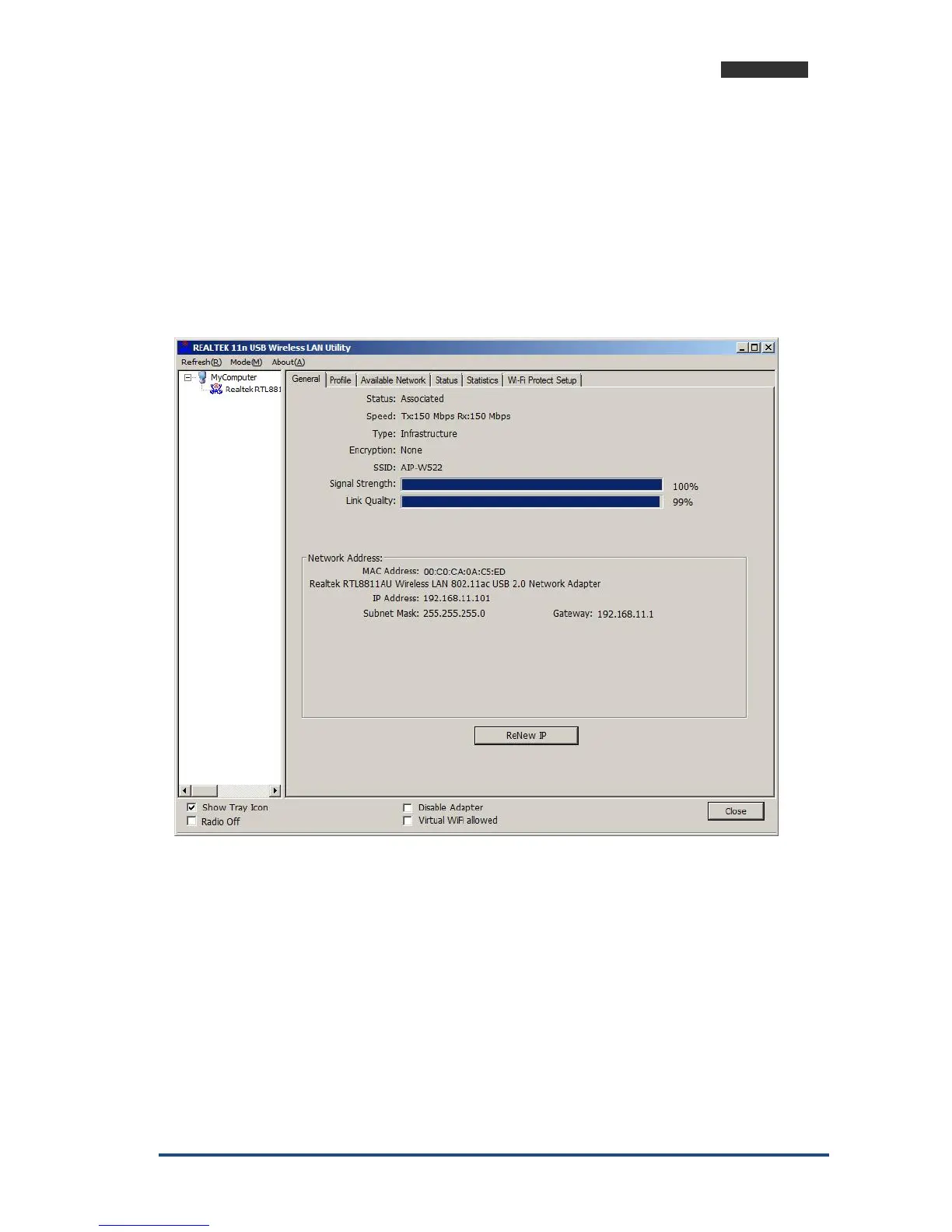
Once device is set, double click on that icon and the configuration window will pop up
as shown. It shows the current connected network. The signal strength and link quality are
displayed also. The bar graph displays the quality and strength of the link between the node
and its Access Point. Link Quality is a measurement of receiving and transmitting
performances over the radio.
Network Address displays current MAC Address, IP Address, and Subnet, and Gateway.
Click Renew IP button to refresh IP address leased from wireless AP.
TX the POWER adjustable RF output power



 To Next Page