3
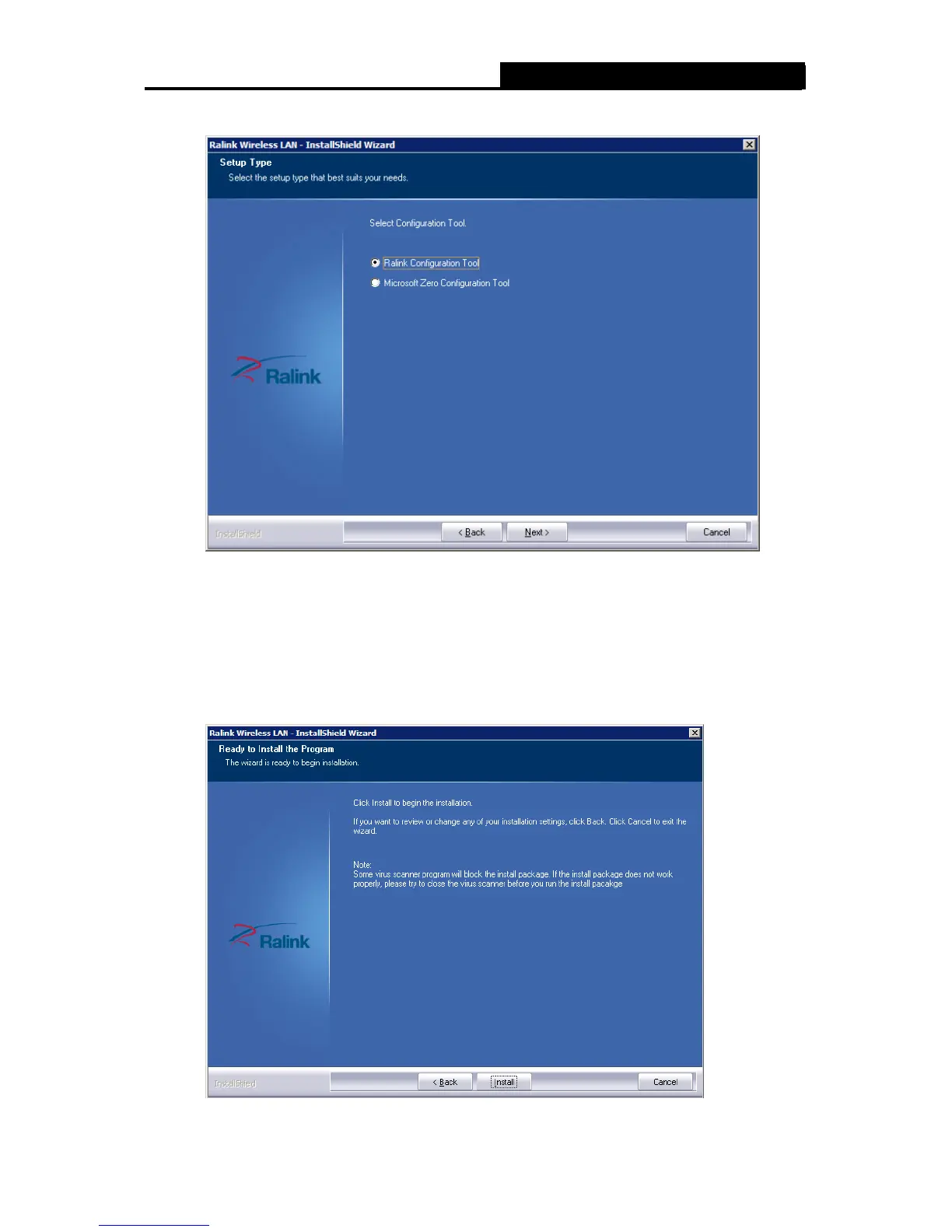
3. In the following screen, select the configuration tool.
Figure 2-3 Setup Type
I. If you want to install the Wireless LAN Adapter Utility, please select the Ralink
Configuration Tool and click Next.
II. If you only want to use the Microsoft Zero Configuration Tool to configure the wireless
connection, please select Microsoft Zero Configuration Tool and click Next.
4. After that, you will see the next screen as below. Click Install to continue.
Figure 2-4 Ready to Install the Program



 To Next Page