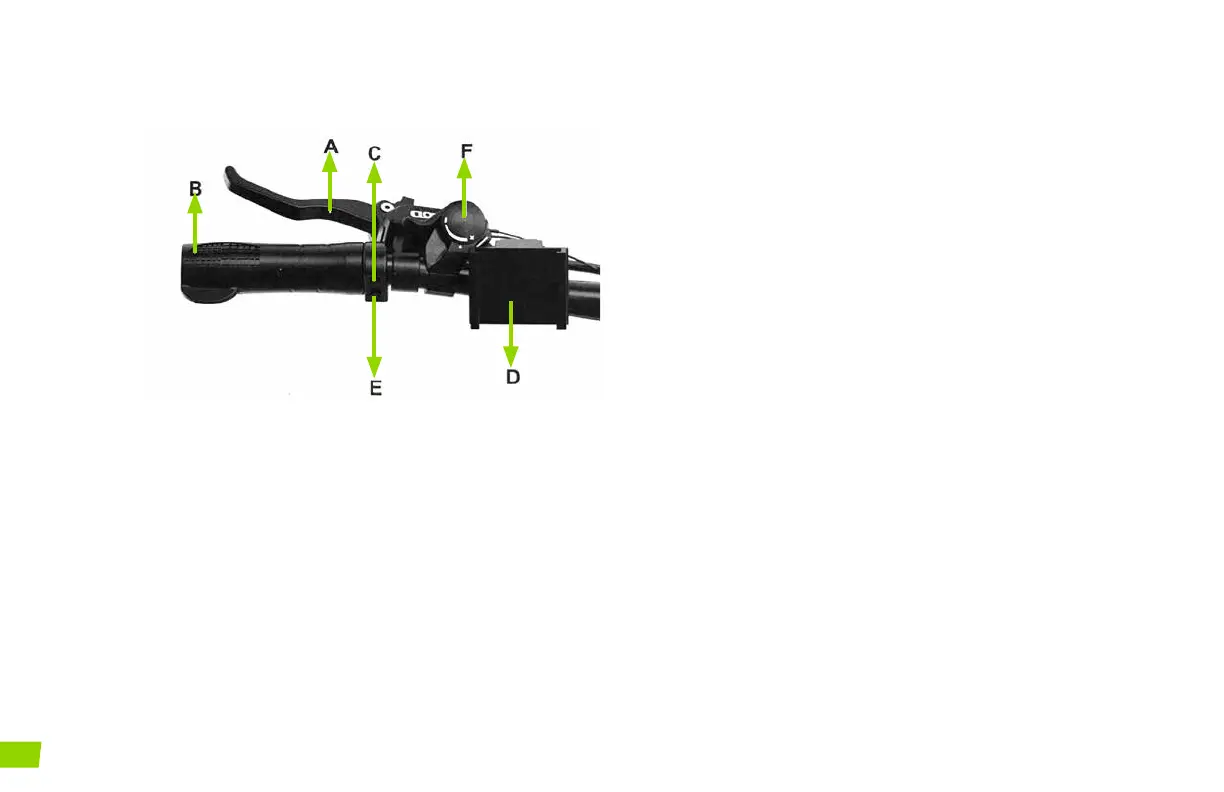
LEFT HANDLEBAR
A
Rear brake lever (behind the handlebar grip in this
photo). The rear brake is activated by squeezing
the RIGHT brake lever (on most models). Please
note, the right and left brake setting may be dif-
ferent from your previous habits. Important! Test
which brake is activating the back brake before
riding.
B
Left Handlebar Grip
C
Headlight Button
D
Phone Holder
E
Pedal Assist Button - Select modes from 1 (low
speed) to 5 (High speed)
F
Front derailleur shifter (if applicable) – By press-
ing the lever while pedaling, you can select any of
the three gears on the front wheel. The shifter is
labeled with the gears. Note your model may only
have one gear on the front derailleur.
12
ALIEN E-BIKES USER MANUAL



 To Next Page