It’s important to your safety that you instinctively know
which brake lever controls which brake. On your E-bike
the right brake lever controls the rear brake (on most
models). The left brake lever controls the front brake.
You should double check this yourself before riding.
The rear brake should always be applied before and
while the front brake is applied. Applying only the front
brake to slow or stop at high speeds may result in
the rider being ejected from the seat and continuing
forward over the handlebars. It Is best to apply even
pressure to both brake levers when slowing or stopping.
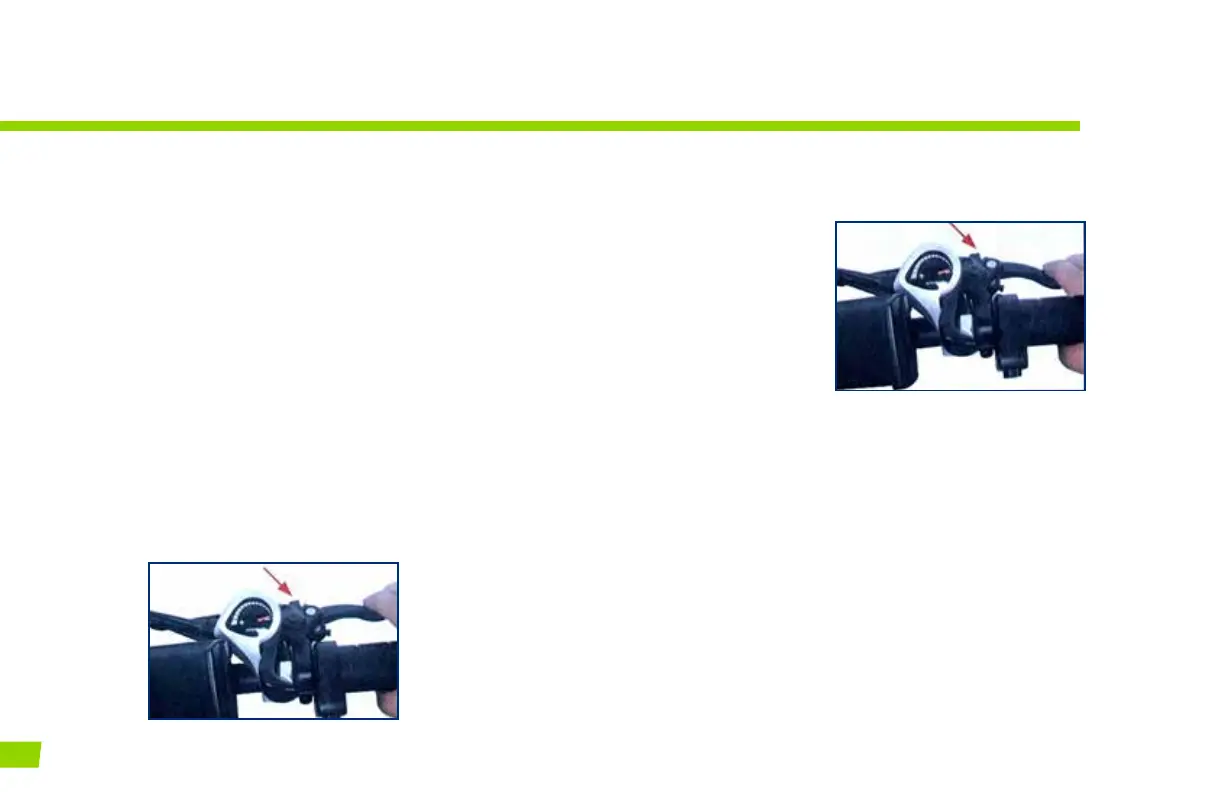
Make sure that the brake lever does not contact the
handlebar when full hand pressure is applied (gure 1).
If so, then the brakes must be adjusted by increasing
the tension on the cable.
A quick adjustment may
be made by screwing
or unscrewing the
threaded barrel adjuster
on the brake lever until
the brakes are ne-
tuned for safe stopping
(Figure 2).
If the brakes are still not
operating correctly, they
may require further adjustment by an experienced
bicycle mechanic.
WARNING
Disc brake rotors become hot during use. Do not touch
or come in contact with the disc rotor shortly after use
During wet weather you will require a longer distance to
stop. Brake earlier and avoid sudden stops when riding
in wet conditions.
BRAKES
All our bikes are equipped with brake levers that have a built-in safety switch that automatically cuts o
the motor power under normal braking conditions. This not only ensures a safe unpowered stopping
feature, but also protects the motor under braking conditions so it isn’t working against the brakes.
FIGURE 1
FIGURE 2
26
ALIEN E-BIKES USER MANUAL



 To Next Page