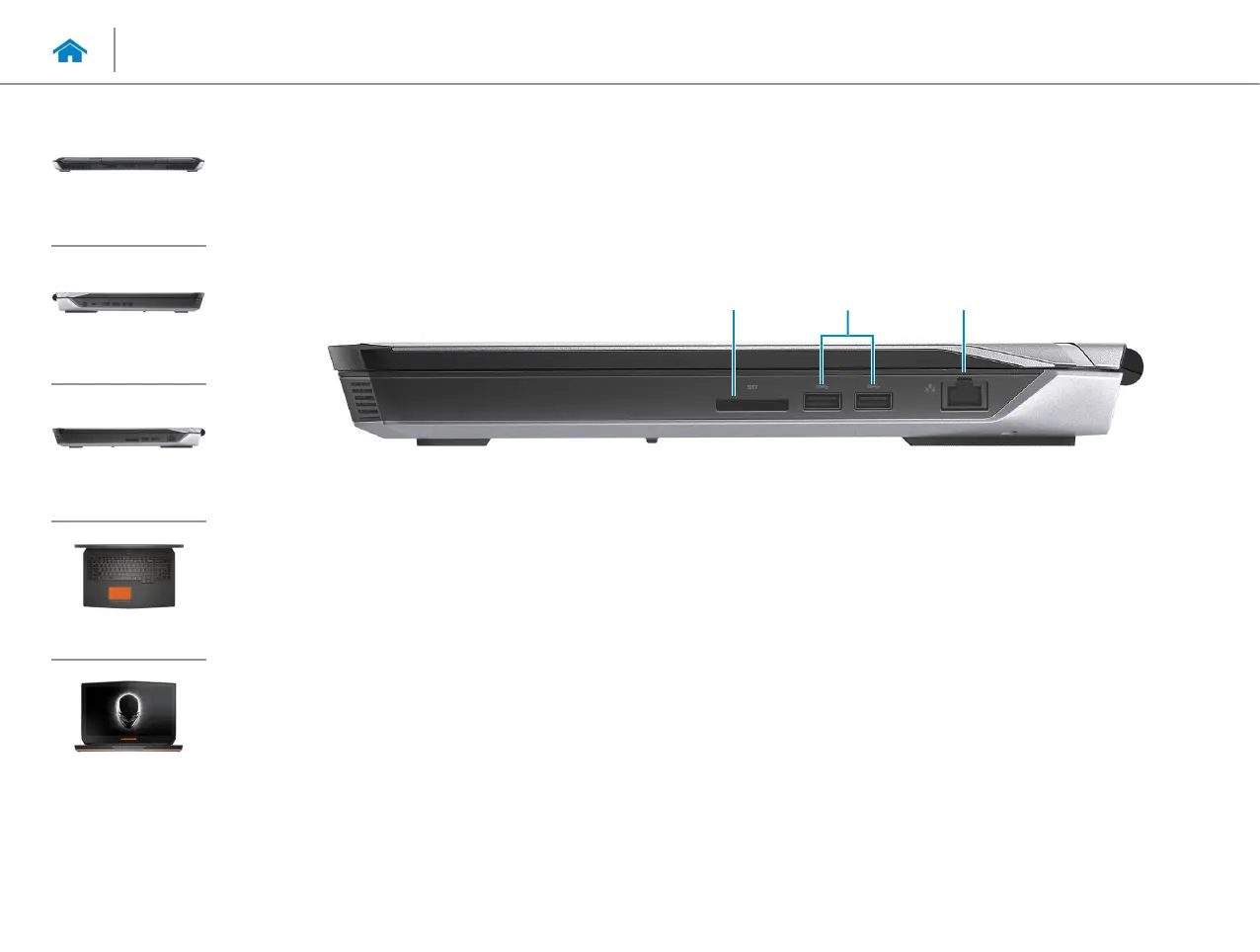
1 Media-card reader
Reads from and writes to media cards.
2 USB 3.0 ports (2)
Connect peripherals such as storage devices, printers, and
so on. Provides data transfer speeds up to 5 Gbps.
3 Network port
Connect an Ethernet (RJ45) cable from a router or a
broadband modem for network or internet access.
The two lights next to the connector indicate the
connectivity status and network activity.
1
2 3
Views
Specifications
Back
Left
Right
Base
Display
Right













 To Next Page