44 | Operating the monitor
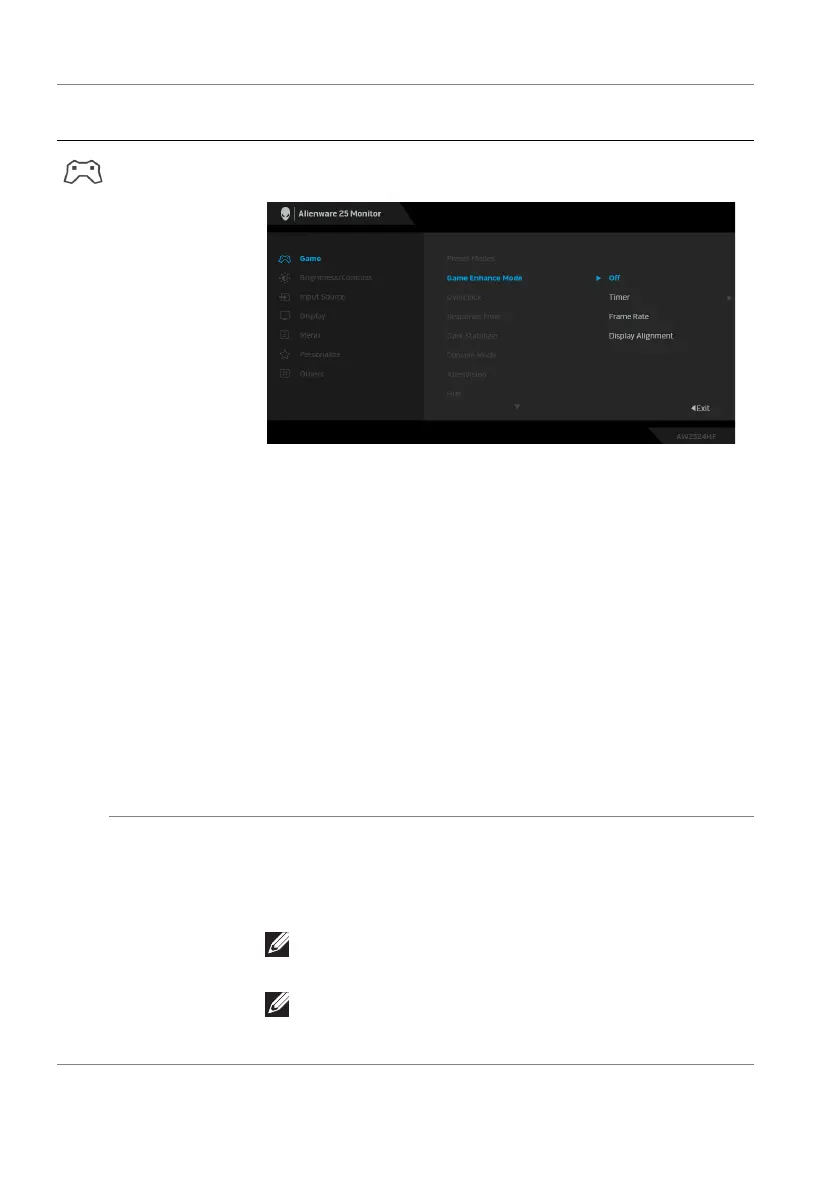
Game Enhance
Mo
de
The feature offers three functions to enhance your
gameplay experience.
• Off: To disable
the functions under Game Enhance
Mode.
• Ti
mer: To disable or enable the timer at the upper
left corner of the display. The timer shows the time
elapsed since the game starts. Select an option from
the time-interval list to keep you aware of the
remaining time.
• Fr
ame Rate: To display the current frames per
second when playing games. The higher the rate, the
smoother the motion appears.
• Display Alignment: To hel
p ensure the perfect
alignment of the video contents from multiple
displays. Pressing the joystick again will exit the
Display Alignment mode.
Overclock Allows you to operate the monitor at a higher refresh
rat
e (500Hz) than that specified by the panel
specification. The default setting is Off. Press the
joystick to confirm the selection.
NOTE: The feature is available only when using
DP (DisplayPort) input.
NOTE: Overclocking may cause screen flickering
or abnormal display. To reduce such effects, set
the feature to Off.
Icon Menu and
submenu
Description















 To Next Page