Operating the monitor | 33
Using the rear-panel controls
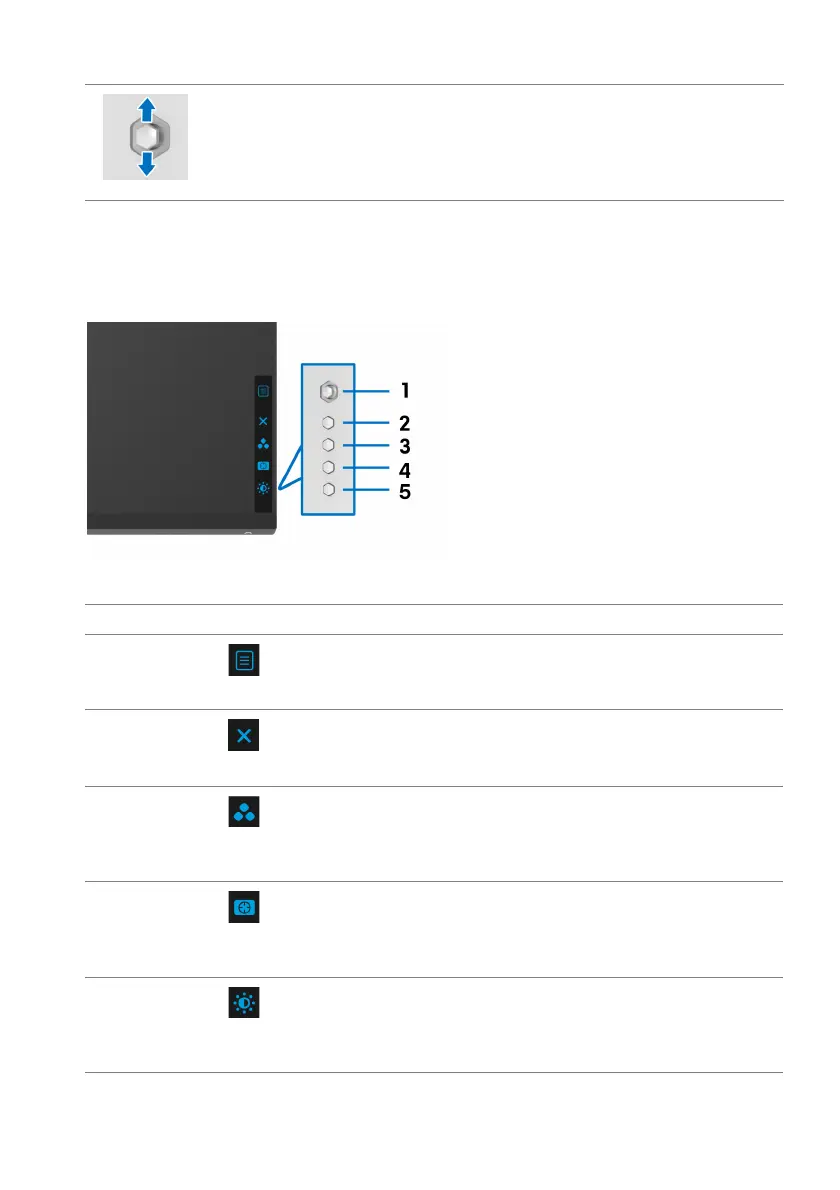
Use the control buttons on the rear of the monitor to access the OSD menu and
shortcut keys.
The following table describes the rear-panel buttons:
Rear-panel button Description
1
To launch the OSD main menu. See Accessing the
menu system.
2
To exit the OSD main menu.
3
To specify a desired color mode from a preset list.
4
To directly access the Dark Stabilizer adjustment
slider.
5 To directly access the Brightness/Constrast
adjustment sliders.
• For 2-way (up and down) directional navigation.
• Toggles between the menu items.
• Increases (up) or decreases (down) the parameters of selected
menu i
tem.
Menu
Exit
Shortcut key/Preset
Modes
Shortcut key/Dark
Sta
bilizer
Shortcut key/
Brightness/Constrast















 To Next Page