12 | About your monitor
* To avoid signal interference, when a wireless USB device has been connected
to a USB downstream port, it is not recommended to connect any other USB
devices to the adjacent port.
Monitor specifications
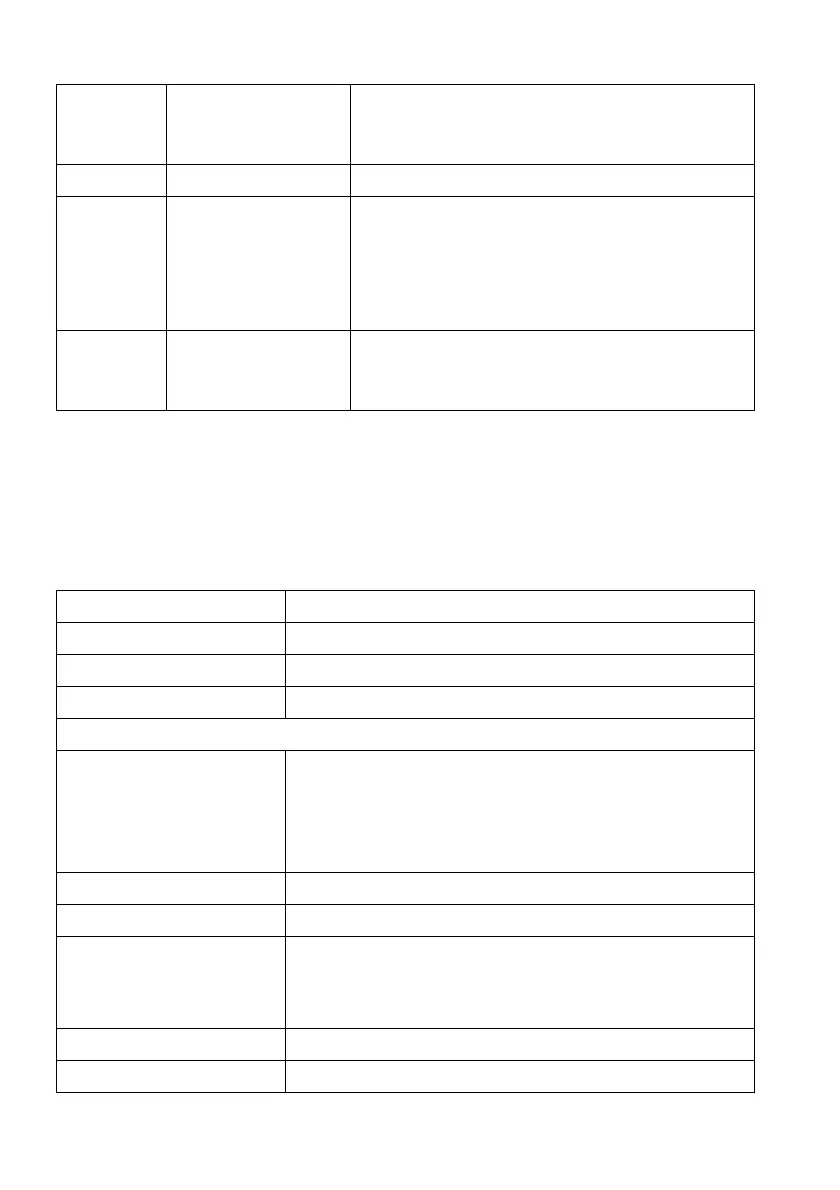
6 USB downstream
port with Power
Charging
Connect to charge your USB device.
7 Headphone port Connect headphone or speakers.
8, 10 USB downstream
ports (3)
Connect your USB device.*
NOTE: To use these ports, you must connect
the USB cable (shipped with your monitor) to
the USB-upstream port on the monitor and to
your computer.
9 USB upstream port Connect the USB cable (shipped with your
monitor) to this port and your computer to
enable the USB ports on your monitor.
Model AW3420DW
Screen type Active matrix - TFT LCD
Panel technology Fast IPS Nano Color
Aspect ratio 21:9
Viewable image
Diagonal
Width (active area)
Height (active area)
Total area
867.2 mm (34.14 in.)
799.8 mm (31.49 in.)
334.8 mm (13.18 in.)
267773.0 mm
2
(415.01 in
2
)
Pixel pitch 0.2325 mm x 0.2325 mm
Pixel per inch (PPI) 110
Viewing angle
Vertical
Horizontal
178° (typical)
178° (typical)
Luminance output 350 cd/m² (typical)
Contrast ratio 1000 to 1 (typical)















 To Next Page