Setting up your gaming keyboard │ 7
Setting up your gaming keyboard
2. Download and install the Alienware Command Center (AWCC).
NOTE: You can use your gaming keyboard as a normal keyboard even
without installing the Alienware Command Center. We recommend you
to download the Alienware Command Center for an enhanced gaming
experience.
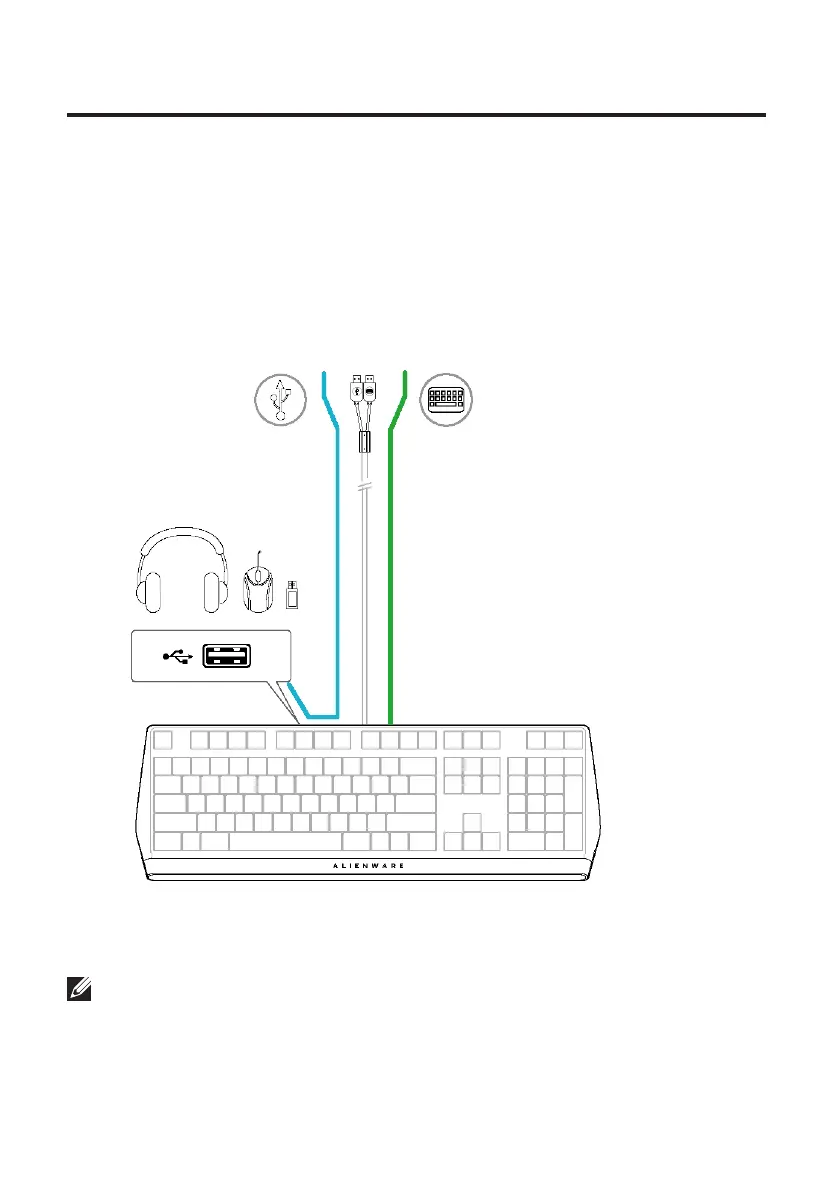
USB for data
pass-through
1. Connect the USB cable of your gaming keyboard to the USB port on your
computer.
• USB for data pass-through: Connect the USB data pass-through cable
when your device has female USB ports to connect to devices such as
mouse, headset, or thumb drive.
• USB for keyboard function:
Connect the USB for keyboard function cable for
accessing
the keyboard functions such as typing, macro, or lighting animation.
USB for keyboard function
(including keyboard lighting)



 To Next Page