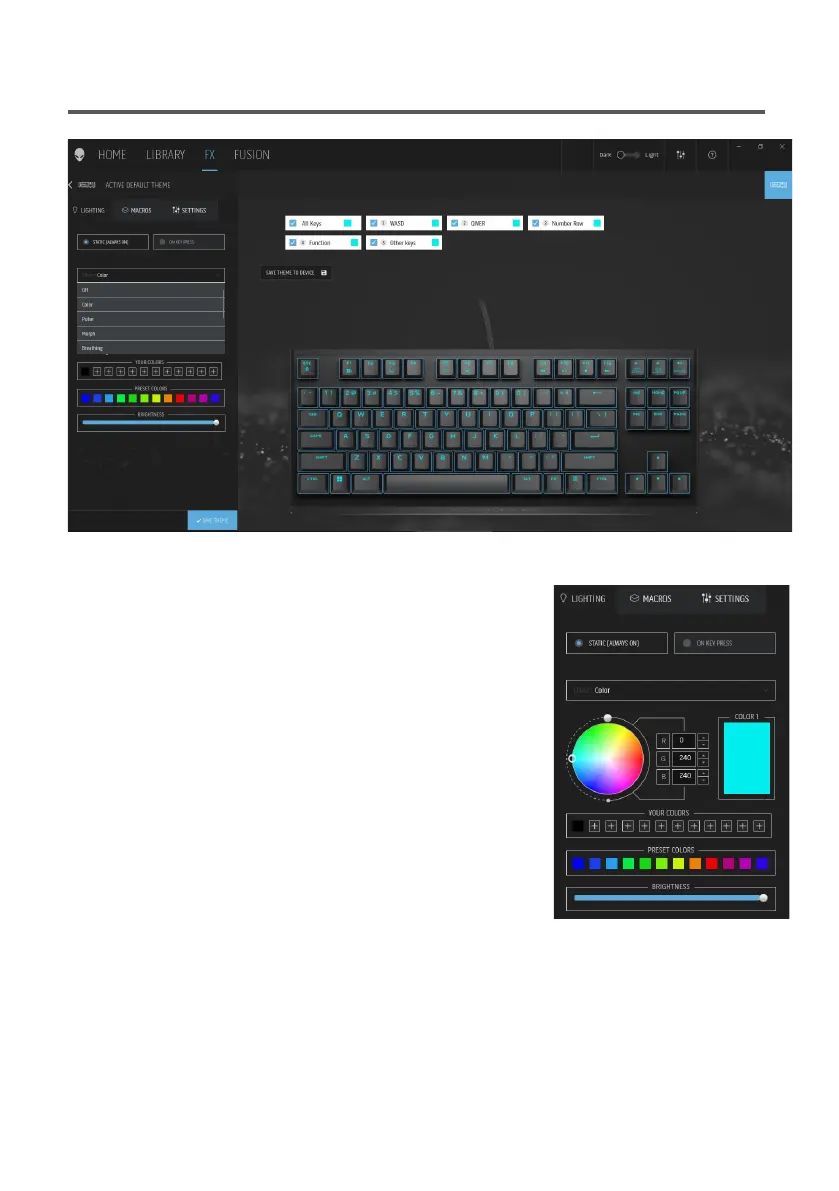
Setting up lighting and animation on AWCC
Setting up lighting and animation on AWCC | 1
Internal Use - Confidential
1. Select Effect from the dropdown list for Static or
On Key Press modes.
2. Select Standard key groupings.
3. From the menu of supported animations: Color,
Pulse, Breathing, Morph, Spectrum, Single
Color Wave, Scanner, Rainbow Wave, and
Static Default Blue.
4. Adjust the tempo of the animation effect.
5. Choose color using the color wheel bubble.
6. Define the color of the keyboard animation effect.
7. Adjust the brightness.



 To Next Page