User’s Guide
1. Basic Stuff You Need to Know
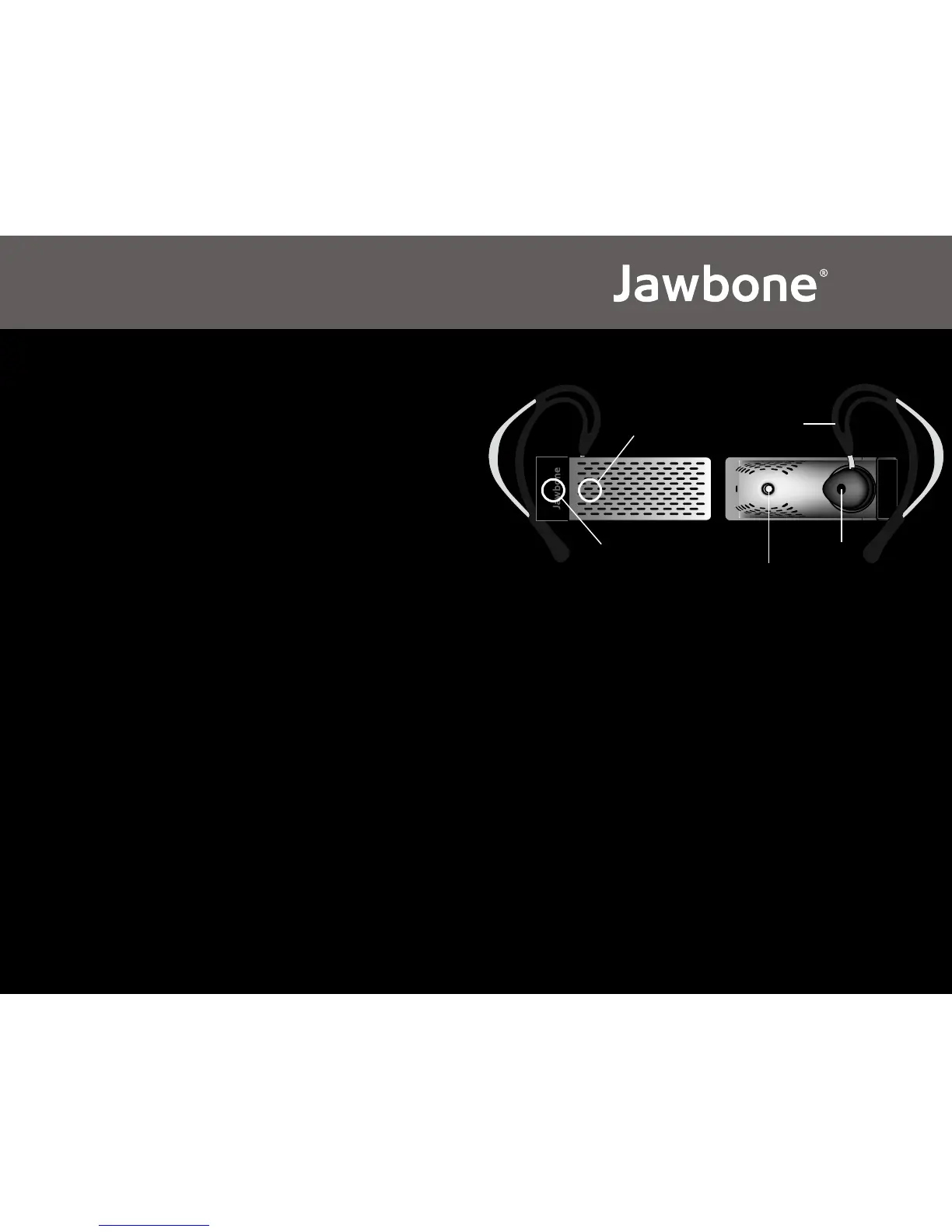
• Talk Button: Press once – Ans / End
Press and hold 3 seconds – On / Off
• Noise Shield Button: Press and hold 3 seconds for pairing
(Jawbone must be off)
Press and hold 3 seconds for Noise Shield On/Off
Press once – volume up
2. Get Going Quickly
• Activate phone’s Bluetooth® feature, then press the ‘Noise Shield Button’
for 3 seconds (Jawbone must be off)
• On phone, ‘Search for New Devices’ select “Jawbone”; passcode “0000”
• If the headset is not already on, press and hold the ‘Talk Button’ for 3
seconds
• You are now ready to use Jawbone
Note: The Noise Shield technology is on by default whenever Jawbone is turned on or
a call is received or placed.
Jawbone®—Designed and manufactured by Aliph.
Jawbone® and Aliph are trademarks of AliphCom.
Made in China.
22-0000-001
Talk Button Earloop
Noise Shield Button
Earbud
Voice Activity Sensor


 To Next Page