29
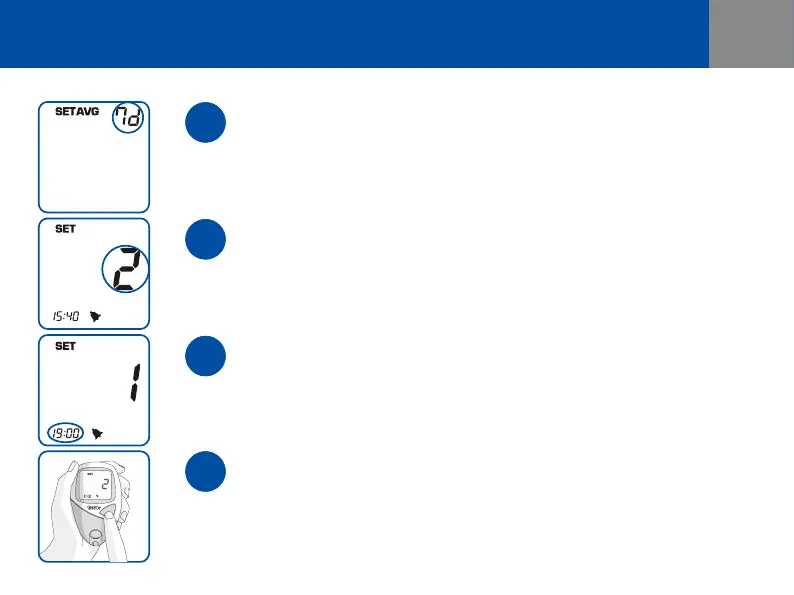
Set the Alarm (up to 4 dierent Alarms a day)
The Alarm times ash. Press and release SIDE(UP/DOWN button) buttons until
you get the alarm times (0 to 4th) setting that you want. If you press and release
the power button, the meter will advance to the Alarm Time Setting.
Set the Average Period
The Average Period ashes. Press and release SIDE(UP/DOWN button) buttons
until you get the period of average setting that you want (1~28d). If you press
and release the power button, the meter will advance to the Alarm Setting.
Set the Alarm Time
The setting for the Alarm Time Setting will start ashing. Press and release
SIDE(UP/DOWN button) buttons until you get the time that you want. The Hour
of the Alarm Time ashes. Press and release SIDE(UP/DOWN button) buttons to
set the alarm time the same as the Time Setting(-).
Save the Setting Information
Press and release the power button, and then the meter will turn o.
The setting information you entered will be saved.


 To Next Page
 Loading...