11
ACTIVATING DIRECTLY FROM MISTER
1. Turn Main Power Switch to ON position.
2. Before misting and during the Mist Cycle make sure no people, pets, or food items are
in mist area.
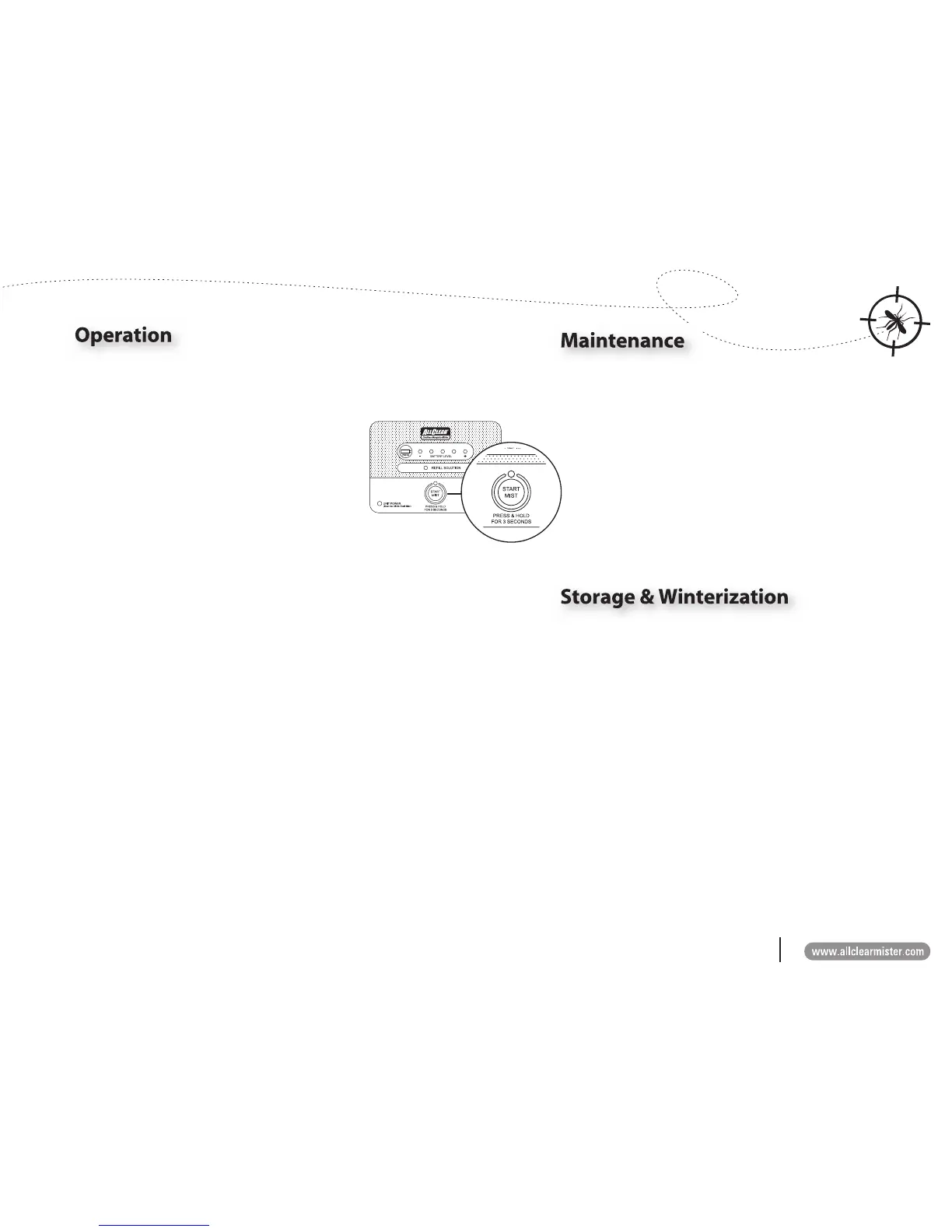
3. To activate 3-minute Mist Cycle, Press & Hold for
3 seconds the Start Mist button on rear Control
Panel.
NOTE: 3 second ‘Press & Hold’ feature is intended to
prevent accidental activation from unauthorized
users.
4. After pressing and holding Start Mist button for 3
seconds, light above button will illuminate.
5. Once illuminated, an audible warning beep begins and user has 12 seconds to leave
misting area before Mist Cycle begins.
6. Mister begins 3-minute Mist Cycle.
7. From a location outside misting area, watch mist movement to ensure mist moves
toward desired area.
8. If mist moves toward an undesired area (e.g., bodies of water, neighboring properties,
etc.) use Remote Control to stop the Mist Cycle. (See ‘To Stop Mist Cycle’ instruction
below. Do not stop Mist Cycle from Control Panel while unit is misting.
9. Mist Cycle ends automatically after 3 minutes.
10. Re-enter area after mist has dissipated (usually 2-5 minutes).
11. If needed, move or reposition Mister (See ‘Positioning the Mister’ instructions on page
9).
12. Turn Main Power Switch to OFF position.
TO STOP MIST CYCLE
• Use Remote Control device to stop unit before or during mist cycle by pushing the OFF button
once on the Remote Control device.
• Mister may also be stopped from the Mister Control Panel before unit begins to mist by pushing
the Start Mist button once.
• Use Remote Control device to stop misting whenever possible. Do not stop mist cycle from
Control Panel while unit is misting.
NOTE: If Mister is stopped, it will reset to original settings. The next time Mister is activated
it will begin a new 3-minute Mist Cycle with a 12 second delay and audible warning
beep.
Taking care of the ALLCLEAR Cordless Mosquito Mister PRO with these
simple steps will provide optimal operation and longevity.
1. Check Mister Battery Level and Rell Solution Light periodically
to ensure battery is charged and enough solution is present for
operation. User should check these levels every 3 to 4 weeks (see
‘Checking Battery Charge Level’ instructions on page 6 and ‘Filling
the Tank’ instructions on page 7).
2. Rell Mister Tank only when Rell Solution Light is illuminated.
This will ensure the proper dilution rate of water to ALLCLEAR
Mosquito Mister Concentrate is maintained (See ‘Filling the Tank’
instructions on page 7).
During months when outdoor temperatures fall below 40°F, store Mister
in a sheltered location away from outdoor elements and in an area
with temperatures above freezing (32°F, 0°C). When storing Mister for
extended periods of time, store with an empty Tank.
1. To empty Tank, use all misting solution as per recommended
operating instructions until Rell Solution Light is illuminated.
2. Switch main Power Switch to OFF position.
3. Close and lock Tank Access Door.
4. Roll and store Mister in a sheltered location with temperatures above
freezing (32°F, 0°C).
CLEANING MISTER NOZZLES (OPTIONAL)
If desired, users can clean Mister nozzles before storing for the winter.
1. Turn nozzles counterclockwise. (Use wrench if needed.)
2. Remove nozzle. Nozzle lter is attached to nozzle.
3. Run warm water over nozzle until clean.
4. Refasten nozzles onto Mister.



 To Next Page