6
IMPORTANT TIPS
• Before using the ALLCLEAR
Cordless Mosquito Mister PRO
for the rst time, or at the start
of each season, charge battery
for 6 hours. Allow approximately
6 hours for subsequent battery
charges.
• Fully charged, Mister battery will
operate for approximately 12 mist
applications before requiring a
recharge.
• For best results, recharge battery
when two lights are illuminated
on Battery Level Indicator. Mister
will not operate at full capacity
when one or fewer Battery Level
Indicator lights are illuminated.
(See ‘Checking Battery Charge
Level’ and ‘Charging the Battery’
instructions.)
• Battery Level Indicator lights will
only illuminate if Mister Power
Switch is in ON position (See
‘Powering Mister ON/OFF’ on
page 8).
• Mister will not mist if Charging
Adapter is plugged into unit or
electrical outlet.
• Battery may be recharged at any
time without harming the battery.
CHARGING THE BATTERY
1. Move Mister to a dry, covered location with an
electrical outlet such as a garage.
2. Open Tank Access Door and make sure Mister
Power Switch is in OFF position.
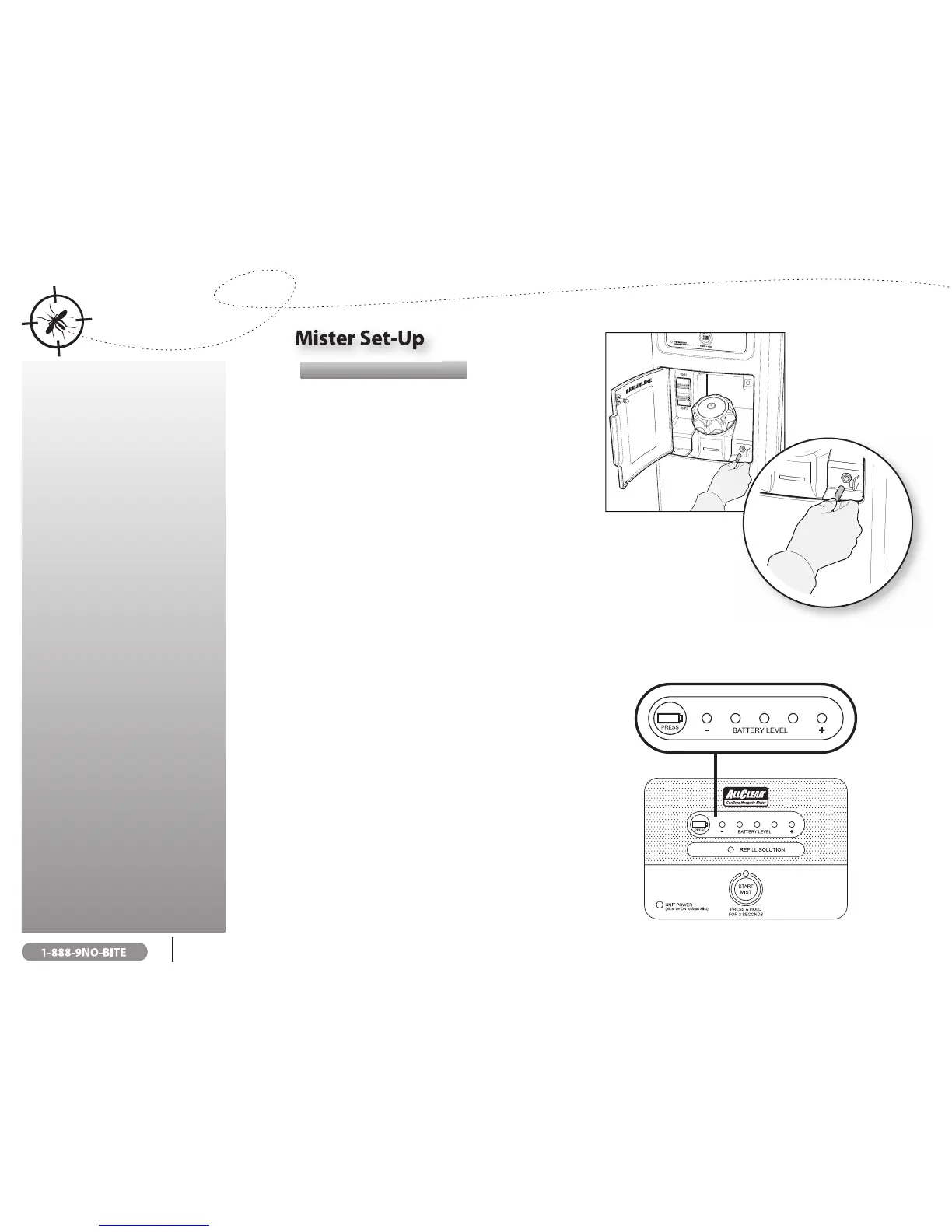
3. Remove Battery Charge Port cap located inside Tank
Access Door, lower right hand side (see illustration).
4. Insert Battery Charging Adapter into Mister Charge
Port.
5. Charge battery for at least 6 hours for rst-time
charge.
6. Battery is charged when Battery Charging Adapter LED light
is green (see ‘Checking Battery Charge Level’).
7. After charging, unplug Battery Charging Adapter from Mister and electrical
outlet and reinsert Battery Charge Port cap.
NOTE: Mister will not mist if Charging Adapter is plugged into unit.
CHECKING BATTERY CHARGE LEVEL
Fully charged, the battery will operate for approximately 12 mist
applications before requiring a recharge. To ensure battery is
operating at capacity, periodically check Battery Level Indicator
lights. For optimal operation, turn Mister Power OFF if not in
use and recharge battery if two or fewer lights illuminate. (See
‘Charging the Battery’ instructions).
1. Turn Mister Power Switch to ON position
NOTE: Battery Level Indicator lights only illuminate when the
Power Switch is in ON position.
2. Press Battery Level Indicator button located on Control
Panel to determine battery charge level.
3. Recharge battery if two or fewer lights illuminate.



 To Next Page