2. Symbol List
2
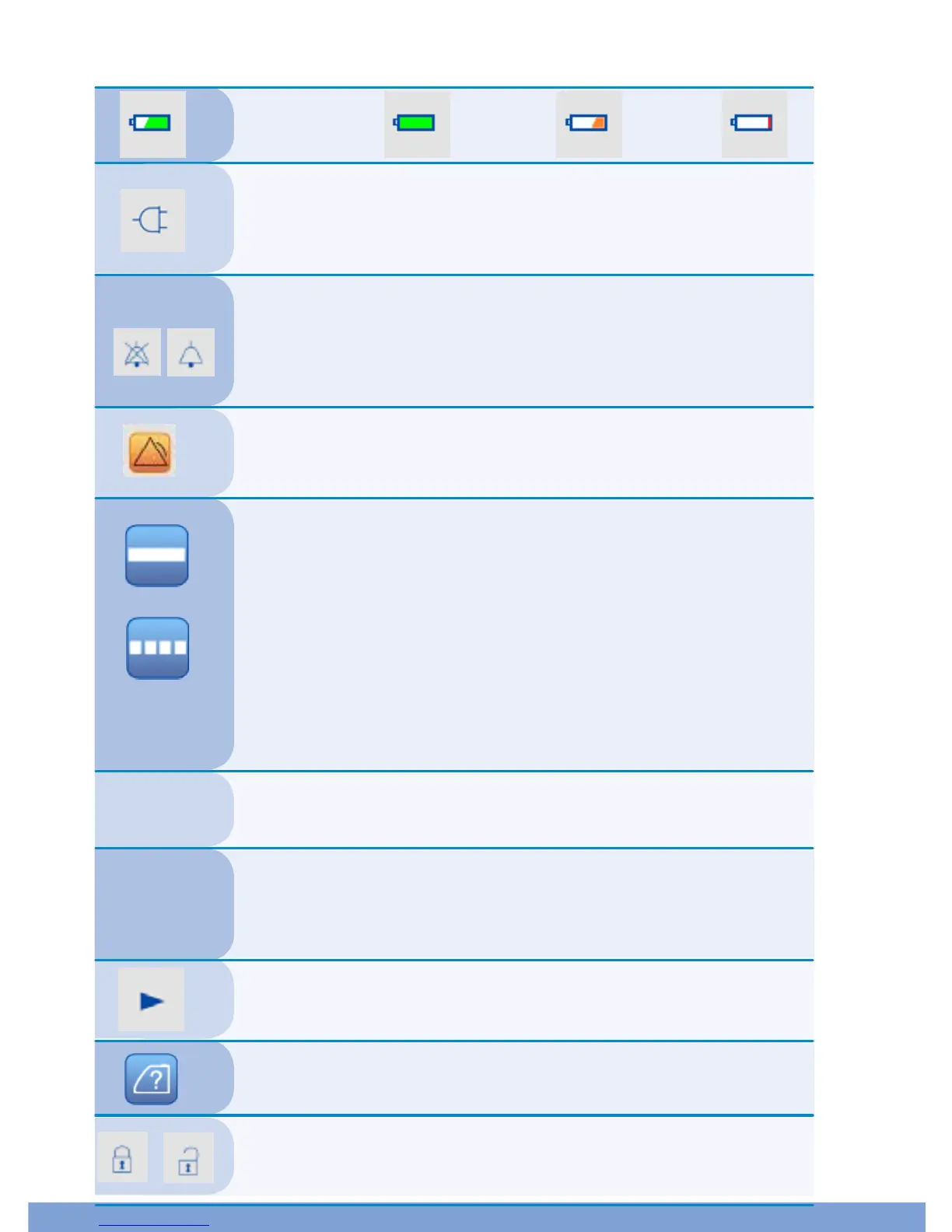
Battery: Full <33%: <10%:
Power Adapter: When the device is plugged in and turned on,
the screen will display the power adapter icon. During this
time, the device will be powered by the external power, and
the battery will also recharge.
Bell: When an alarm is occurring, the symbol on the right
will appear, showing that the alarm is not muted. If the
alarm is muted, the symbol on the left will appear. The
alarm will automatically un-mute once the alarm is
remedied.
Alarm: This icon indicates that there is an alarm. Please
see the alarm section 9.2 for a full description of all of the
alarms.
125 mmHg
Mode: Continuous mode: The solid line indicates
Continuous mode. In Continuous mode, the device will
always maintain the set pressure.
Intermittent mode: The dashed line indicates Intermittent
mode. In Intermittent mode, the device will run for 5
minutes at the set pressure, and then increase pressure to
negative 20 mmHg for 2 minutes. The device will
continuously repeat this cycle while in Intermittent mode.
To change between the modes, press the SET button.
Real Negative Pressure: This shows the real-time pressure.
Current Setting Pressure: This shows the pressure that the
device is set at. Note that during Intermittent mode, you
cannot change the 2 minutes of negative 20 mmHg.
Pump Running: This icon indicates that the pump is turned on
and engaged.
Error Modes: See section 9.2.
Lock/Unlock: See section 10.2, step 5
125 mmHg


 To Next Page