24
Connect the wand to the PC via the serial cable and computer serial port.
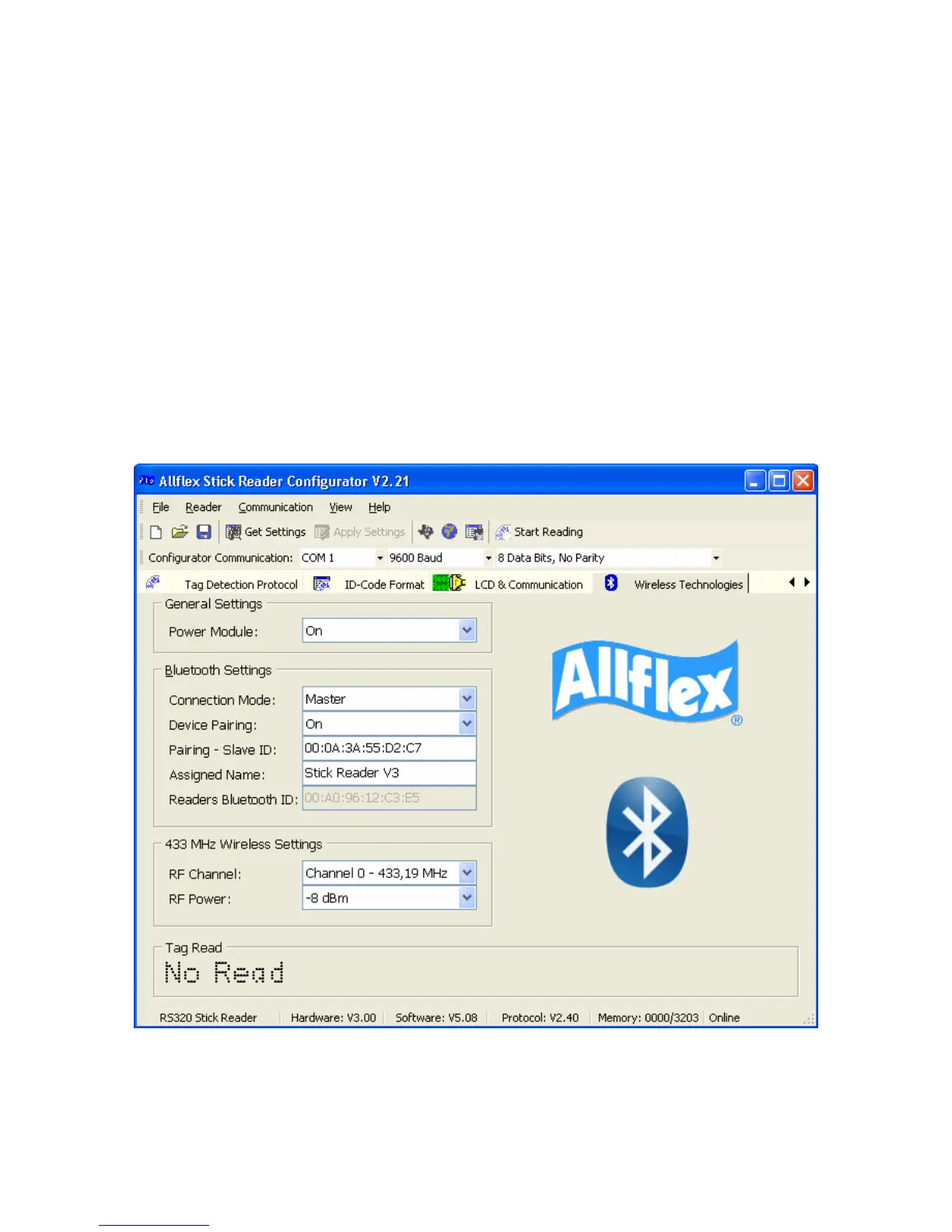
Start the Configurator© software and turn on the reader. The reader’s current settings
will appear on the screen. If they don’t, click on “Get Settings”.
• The Configurator© has several TABS across the top section.
• Select the “Wireless Technologies” screen by clicking on the “Wireless
Technologies” Tab.
• The Stick Reader settings must be set to the following:
o Power Module: ON
o Connection Mode: MASTER
o Device Pairing: ON
o Pairing Slave ID; use the address code found on the small label on the
Bluetooth® Adapter that attaches to the scale head. The code will
usually look something like this: 000BCE0076A3



 To Next Page