ITA ENG FRA ESP DEU POR
2 / 12
6-1622176 rev.05 01/03/2019
Compatible from firmware version BIOS2ECOv07
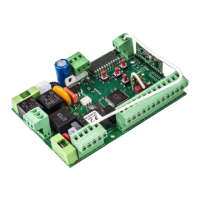
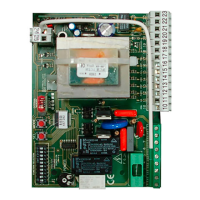
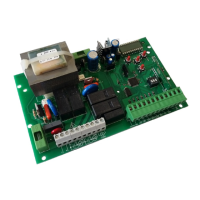
The control unit BIOS2 ECO is particularly indicated for the installation of 1 or 2 wing gates with 230 Vac motors with maximum power absorbed of
700W.The control unit equipped with a display that allows a precise regulation of the thrust of the gate. It is also possible to adjust the delay in closure
of the second wing in the base settings menu. The control unit can memorize up to 1000 transmitters with the external memory, with the step by step,
partial opening, open and close functions. It is supplied with inputs for internal and external photocells, possibility to connect the buttons for step by
step, partial opening, open, close and stop. The outputs include a 230 Vac flashing light, electrical lock and courtesy light/open gate light by the
expansion card R2 (not supplied) with dry contacts 230 Vac 5A max/30 Vdc 5A max, 24 Vdc accessories power supply.
1. Introduction
ATTENTION: DO NOT INSTALL THE CONTROL UNIT WITHOUT READING THE INSTRUCTIONS FIRST !!!
THE INSTALLATION SHOULD BE PERFORMED ONLY BY QUALIFIED PERSONNEL.
3
2. Configuration
FLASHING LIGHT OUTPUT
Connect the flashing light to the clamps 9 and
10.
Use a flashing light without self flashing card
230Vac 60W MAX
1
POWER SUPPLY
Connect the power supply cable between clamp
1 and 2 of the control unit
Power supply 230 Vac 50 Hz
Do not connect the card directly to the electric
network. Put a device which can ensure the
disconnection of each pole from the power supply of
the control unit.
2
3. Connections
MOTOR 1 OUTPUT
Connect the common of the motor 1 to the
clamp 5 of the control unit.
Connect the phase 1 of the motor 1 to the
clamp 3 of the control unit.
Connect the phase 2 of the motor 1 to the
clamp 4 of the control unit.
MOTOR 2 OUTPUT
Connect the common of the motor 2 to the
clamp 8 of the control unit.
Connect the phase 1 of the motor 2 to the
clamp 6 of the control unit.
Connect the phase 2 of the motor 2 to the
clamp 7 of the control unit.
Motor condensers 230 Vac
!!Risk of electric shock!!
Connect to the MOTOR 1 output the wing which
beats. Install an aventual electrical lock on this wing.
MOTOR 1 is always activated first during opening
phase and in second during closing phase.
Line FUSE
F 6.3 A
FUSE
Vdc accessories
F 0.5 A
For a correct functioning of the system, it is absolutely indispensable the use of mechanical stops in opening and closing.
OPTIONAL
RELAYS CARD
Cod.12001703
SAFETY
DEVICES
DIP SWITCH
In the event of use of not
Allmatic motors, insert a fuse
in series to the common of
the motor (see paragraph 9)


 To Next Page
 Loading...