User Manual
Page 11
2. Determine your preferred wireless network then click its corresponding
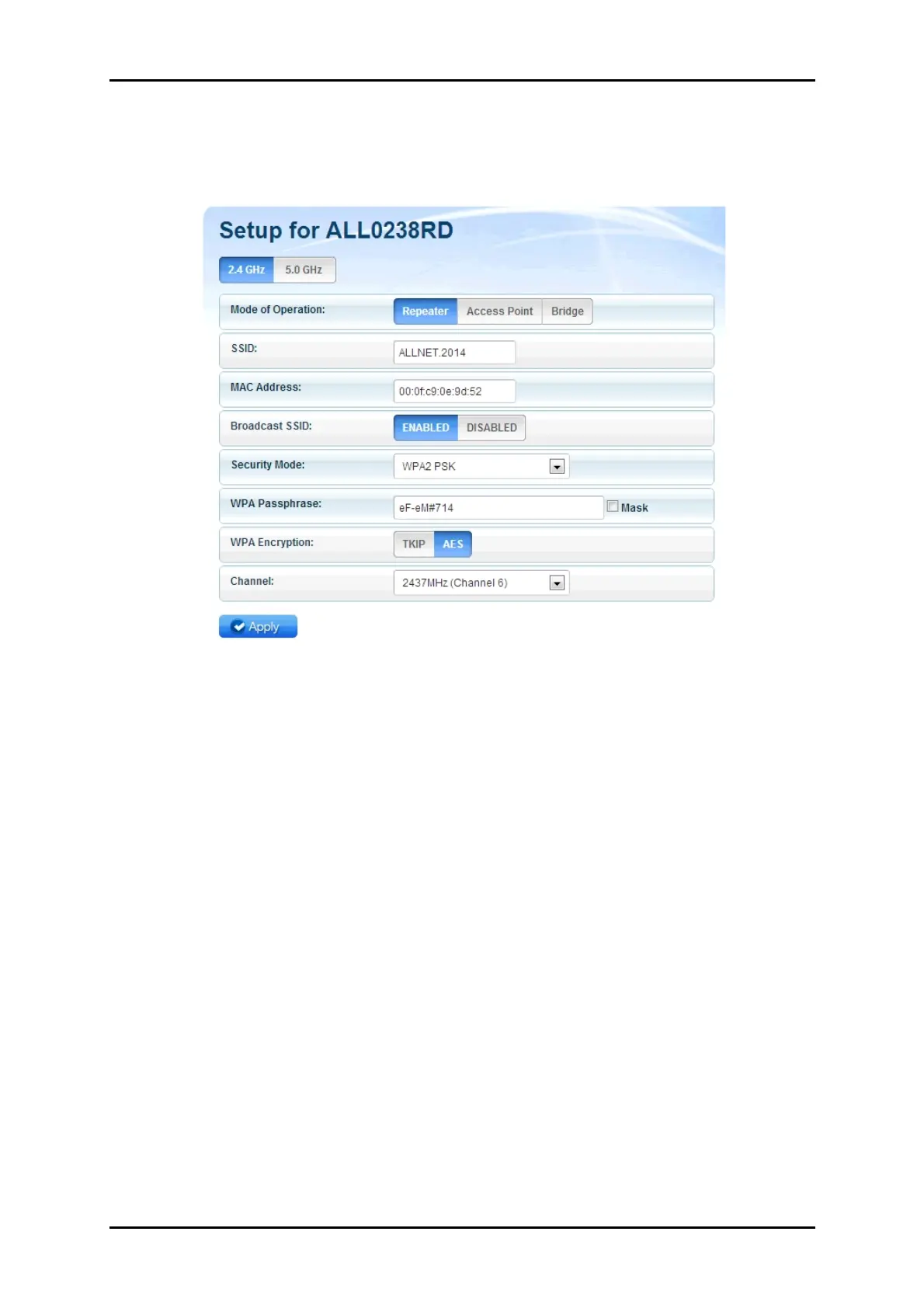
Connect button. You will then be redirected to the Wireless Setup page
of your ALL0238RD as seen below:
3. Input the Wireless network’s passphrase on the WPA Passphrase
(Wireless Password) text box then click Apply. Kindly wait for the
repeater to finish initializing the connection. Your repeater would
reboot upon successful connection.
NOTE: To know if you have successfully connected to your device,
check the LEDs of your ALL0238RD; it would be in STABLE GREEN light.


 To Next Page