User Manual
Page 10
Web User Interface Menu
The web user interface was made for users to easily access and control your
ALL0238RD’s main features. It is mainly comprised of the following menus:
• Quick Connect
• Setup
• Wireless
• Device Admin
• Device Status
• WPS
Quick Connect
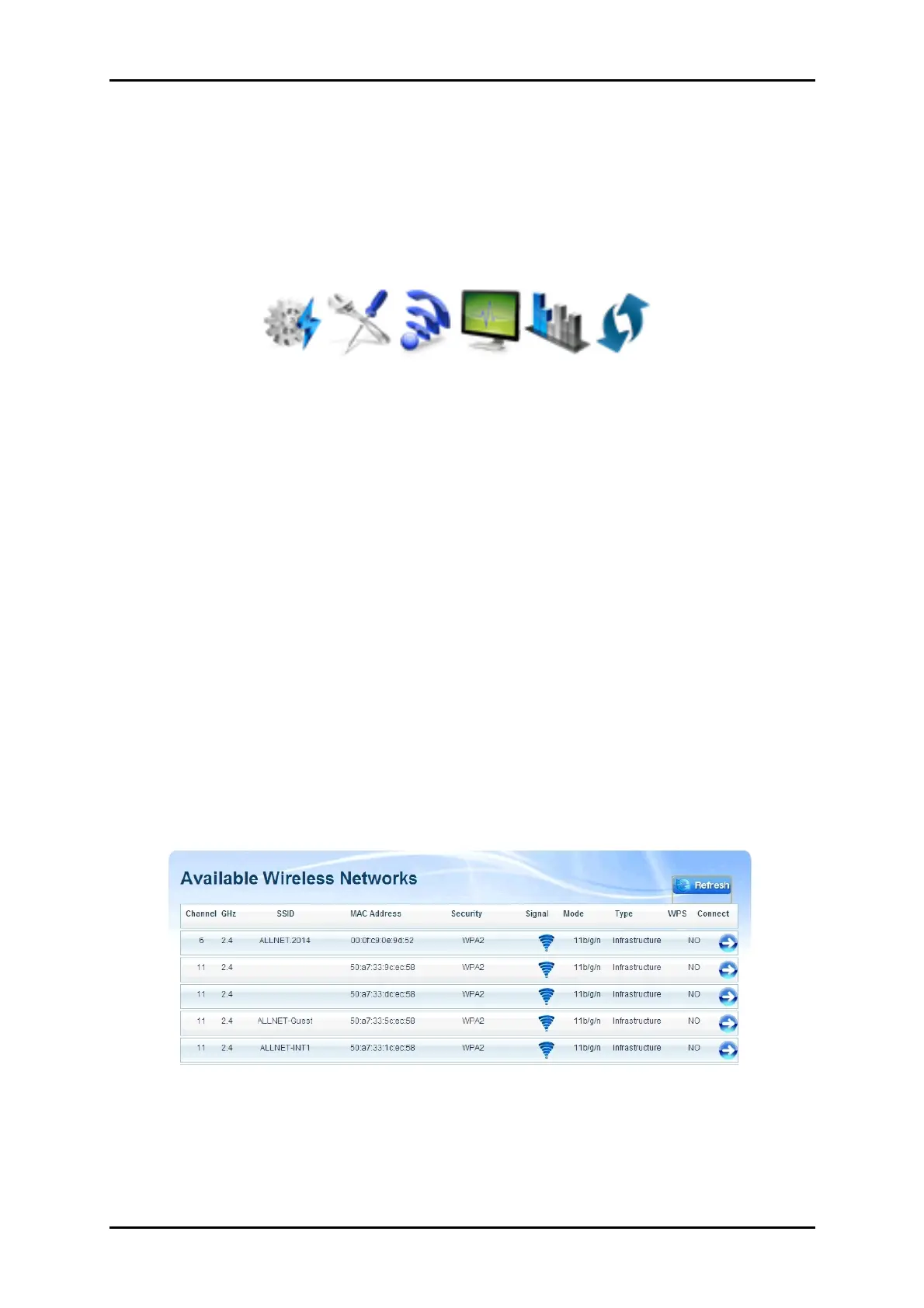
The Quick Connect menu allows you to scan for the available wireless
networks within range and connect to your preferred wireless network as well.
To connect to a Wireless Network, simply do the following:
1.
Click the Quick Connect menu icon and wait for the search
initialization to finish.


 To Next Page