User Manual
Page 14
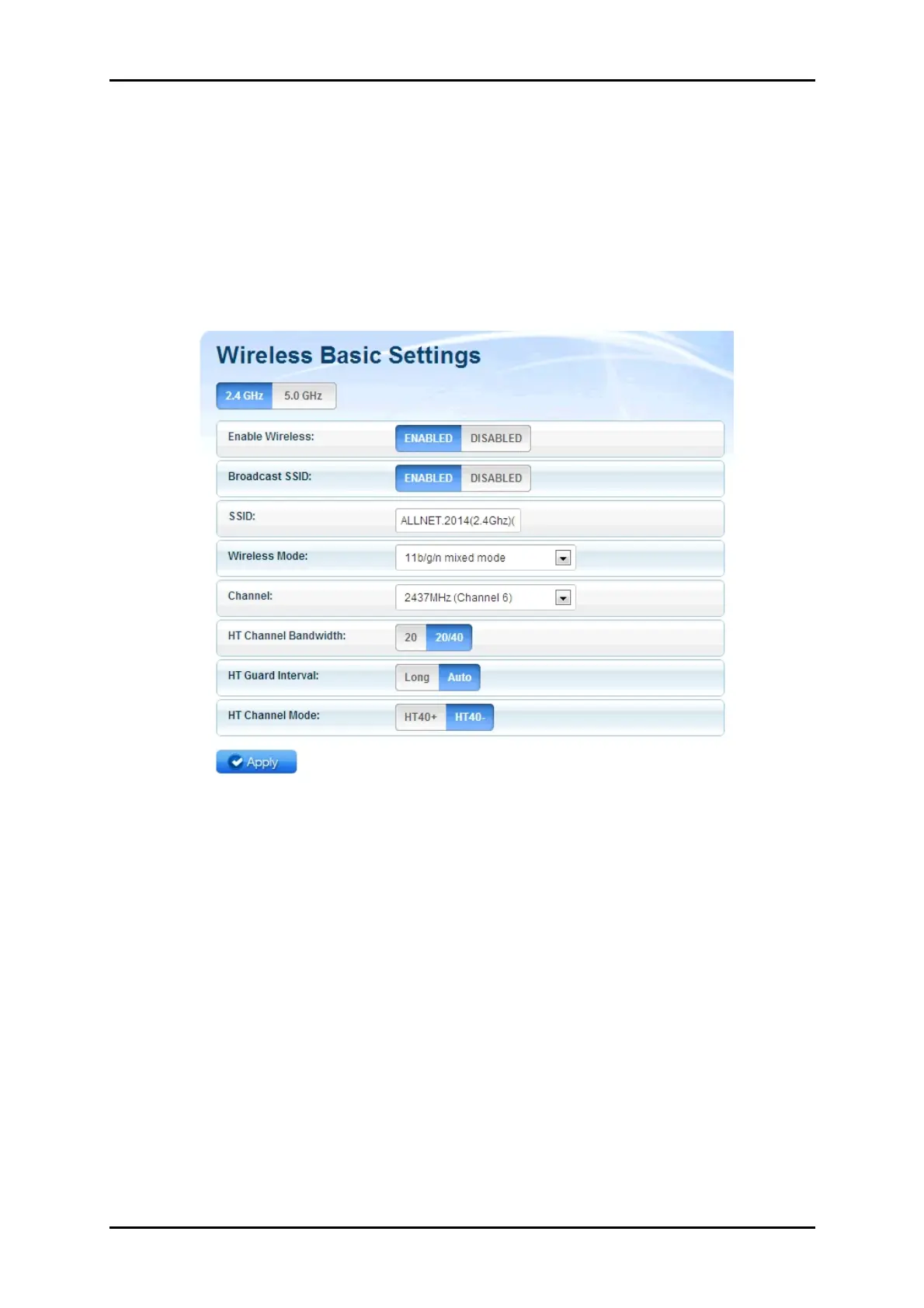
Basic Wireless Settings
The Basic Wireless Settings page allows you to configure the basic properties
of your ALL0238RD such as enabling the wireless feature and SSID broadcast,
changing the name of the Wireless SSID, defining a preferred wireless mode
for your ALL0238RD, changing the Wireless channel and various HT properties
• Enable Wireless. Enable or Disable the wireless feature of your
ALL0238RD. By default the Wireless feature of your ALL0238RD is
enabled.
• Broadcast SSID. Set option to disable to hide your wireless network. By
default, the SSID Broadcast is enabled.
• SSID. Allows you to designate a name for your ALL0238RD’s wireless
network.
• Wireless Mode. This option allows you to select the type of wireless
standard you want to allow to connect to your wireless network.



 To Next Page