User Manual
Page 16
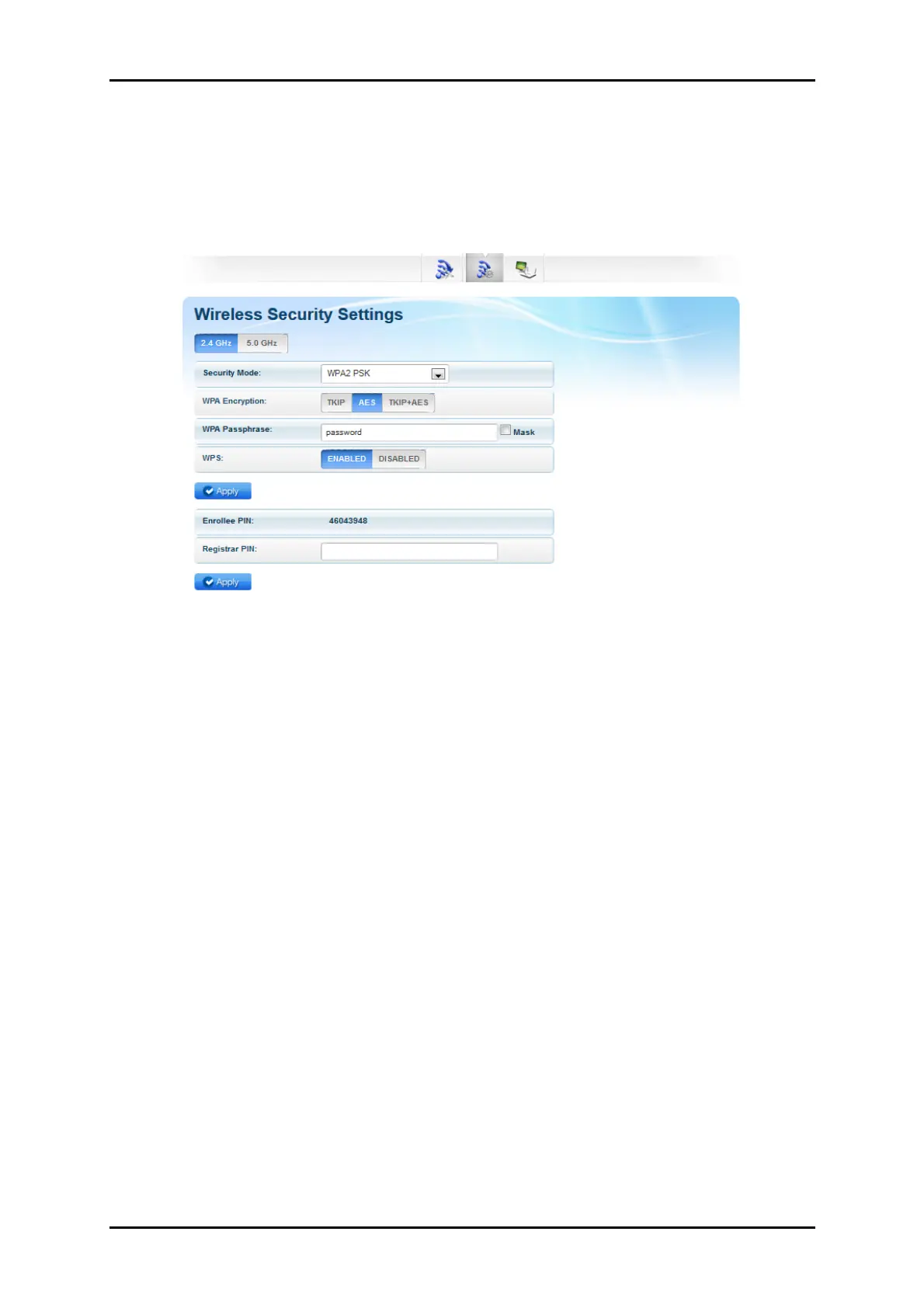
Wireless Security Settings
The Wireless Security Settings page allows you to change the Security Mode,
enable or disable the WPS feature of your ALL0238RD, and add a WPS
enabled device by entering the needed PIN.
• Security Mode. Select the type of encryption you want for your wireless
network.
• WPS. Allows you to enable or disable the WPS feature of your ALL0238RD.
• Enrollee PIN. Enter this PIN on the Wireless Device that will be connecting
to ALL0238RD repeater to automatically configure the wireless device.
• Registrar PIN. Here you can enter the WPS-PIN of the Wireless Devices and
click apply for the ALL0238RD to allow access and configure your wireless
device automatically
Note: WPS will work only for WPA-PSK, WPA2-PSK and WPA/WPA2
encryption. Wireless Devices should also support the WPS feature to use
this option.


 To Next Page