Allora 2
33
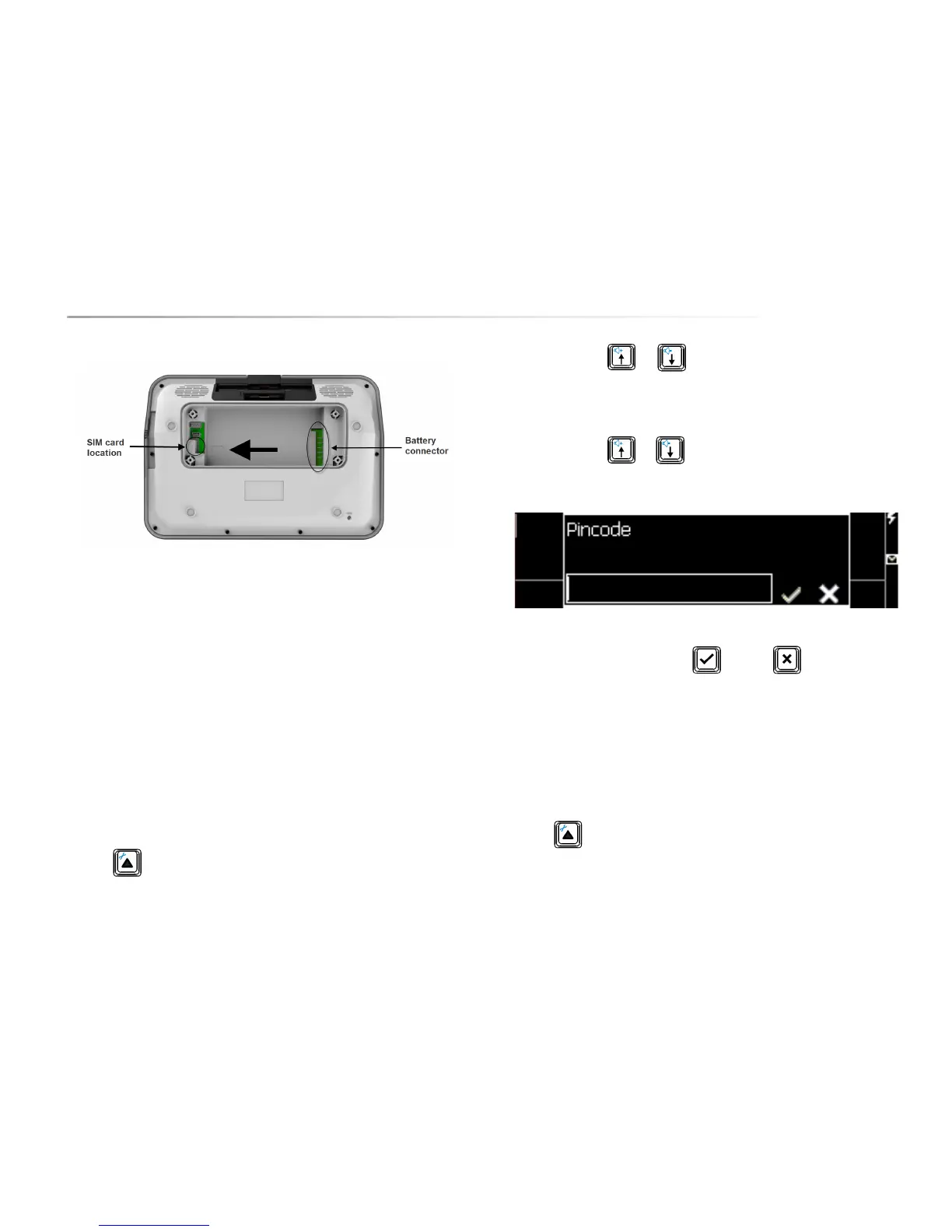
In the battery compartment you will see a small image showing you the correct
positioning of the SIM card. Gently slide the SIM card in the direction of the
arrow into the SIM card connector.
Put the battery back in to the battery compartment. Put the left side of the
battery (next to the SIM card) into the compartment first and then gently drop the
other side of the battery into the battery connector. This ensures that both the
SIM card is secured and that the battery makes good contact.
8.5.2 Enter the PIN code
Once the SIM card is installed you can enter the PIN code.
Press Fn to enter into the settings of the Allora.
Use the arrow keys or to navigate to the item Mobile phone and
press Enter. You have now entered the settings menu of the mobile phone
module of the Allora
Use the arrow keys or to navigate to the item Pin code and press
Enter. The following window will appear on your screen:
Enter the PIN code and confirm with or press to discard.
8.5.3 Making connection with a telecom provider
Once the PIN code is entered correctly you are ready to set up a connection with
a telecom provider.
Press Fn to enter into the settings of the Allora.


 To Next Page
 Loading...