Allora 2
34
Use the arrow keys or to navigate to the item Mobile phone and
press Enter. You have now entered the settings menu of the mobile phone
module of the Allora.
Use the arrow keys or to navigate to the item (Re)connect and
press Enter. As soon as you have a connection a signal strength status symbol
will appear on your display at the right-hand side.
The key combination allows you to consult the signal strength,
the telecom provider and the free memory on your SIM card. Beware that when
no SIM card memory is left you will be unable to receive any new text messages.
If this happens you can create some memory space by deleting old text
messages.
8.5.4 How to send a text message.
It is good practice is to set up your contact list first.
To open your contact list, press the Application key to display the
available applications.
Use the arrow keys or to navigate to 5 - Address book and press
Enter .
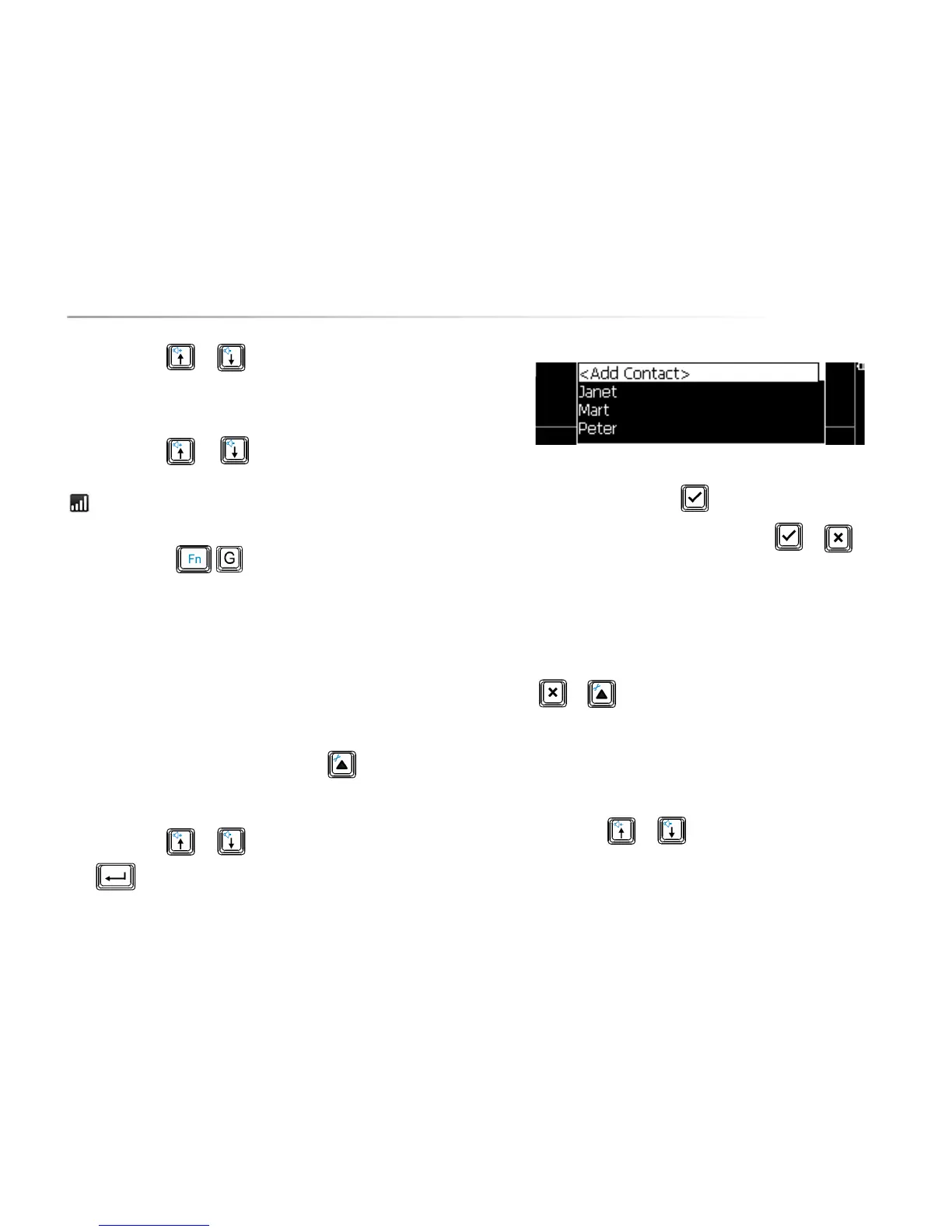
The following window appears on your screen:
Choose <Add contact> and press to add a new contact.
Enter name and telephone number and confirm with or press to
discard.
Repeat this procedure to add other contacts.
If you choose an existing contact you will be able to edit or delete it.
Press or to go back to the Communication application.
Now you can start writing text messages. Press the Application key to display
the available applications.
Use the arrow keys or to navigate to 1- New message and press
Enter .


 To Next Page
 Loading...