Allora 2
44
10.1.10 Remove pronunciation
Press to get the list of words in the pronunciation dictionary. Use the
arrow keys or to select a word and press the Enter key .
Press to delete it from the dictionary or to discard.
10.2 Keyboard
Press the key combination to show the settings menu, choose
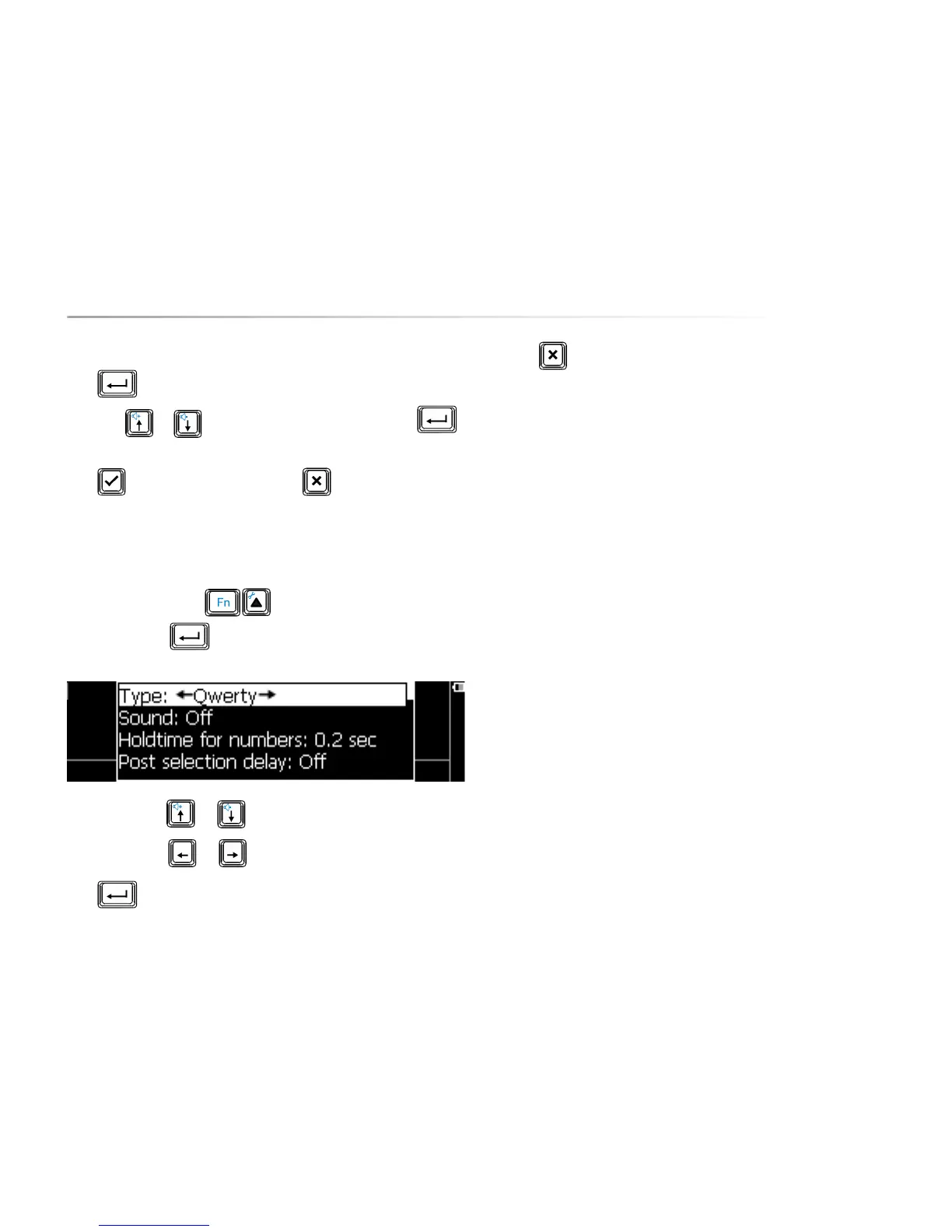
Keyboard and press . The following list appears on the screen:
Use the arrow keys or to choose a parameter.
Use the arrow keys
or to change the value of a parameter.
Press to open a submenu, if available.
Press to leave a submenu.
The following overview explains the different parameters::
10.2.1 Type
This parameter determines the keyboard layout. Change this parameter only if
the keyboard does not match the keyboard of your Allora.
10.2.2 Sound
Set Sound on if you want to hear a sound with each key stroke.
10.2.3 Hold time for numbers
This parameter specifies how long the figure key must be held to form the
corresponding figure in your message.
The number keys 1 to 5 are also used to choose a word prediction.To do this,
press the figure keys briefly.
10.2.4 Post selection delay
To prevent unwanted key strokes, for example as a result of atremor, you can
set this parameter to obtain a delay time before a new keystroke will be
accepted.


 To Next Page
 Loading...