Allora 2
46
10.3.4 Step time
The ’Step time’ defines the speed or rhythm used by the Allora to step through
the different sequences.
10.3.5 Leave row
This parameter sets the number of times the Allora will step through a row
before leaving it (in case you make a mistake and selected a wrong sequence).
10.3.6 Pause scanning
This parameter defines the number of sequences that the Allora will run before it
will stop the algorithm, considering that there was no switch activity during that
interval. Pressing a switch will automatically restart the scanning.
10.3.7 Delay after selection
After selecting a particular character or a certain feature, you can choose to
postpone making a next selection. This prevents unwanted successive
selections caused by, for instance tremor.
10.3.8 Sound
The Allora can add a little sound (Sound=on) every time it shows the next
character or row of characters. This can help keep up with the rhythm.
10.4 Display
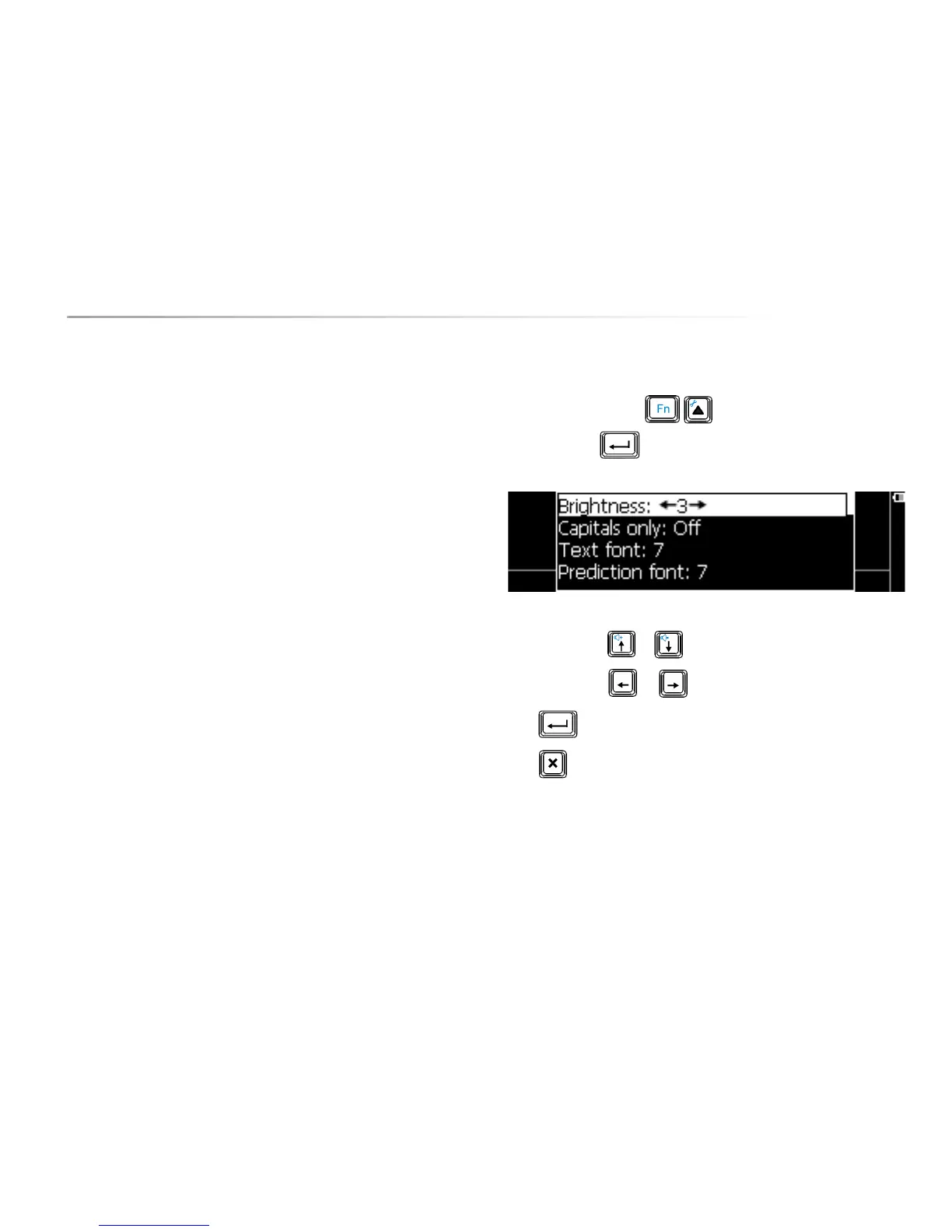
Press the key combination to show the settings menu, choose
Display and press . The following list appears on the screen:
Use the arrow keys or to choose a parameter.
Use the arrow keys
or to change the value of a parameter.
Press to open a submenu, if available.
Press to leave a submenu.
The following overview explains the different parameters:
10.4.1 Brightness
Set the brightness of the first display to 1, 2 or 3 to get brighter characters. Note
that a higher brightness will result in more power consumption and reduced
battery life.


 To Next Page
 Loading...