Allora 2
47
10.4.2 Capitals only
When this parameter is set, the Allora will write only in capitals on the 1st
display.
10.4.3 Text font
The Text font parameter defines the size of the characters on screen from 7 to
24 pixels.
10.4.4 Prediction font
The Prediction font parameter defines the size of the characters of the word or
sentence prediction on screen from 7 to 24 pixels.
10.5 Second display
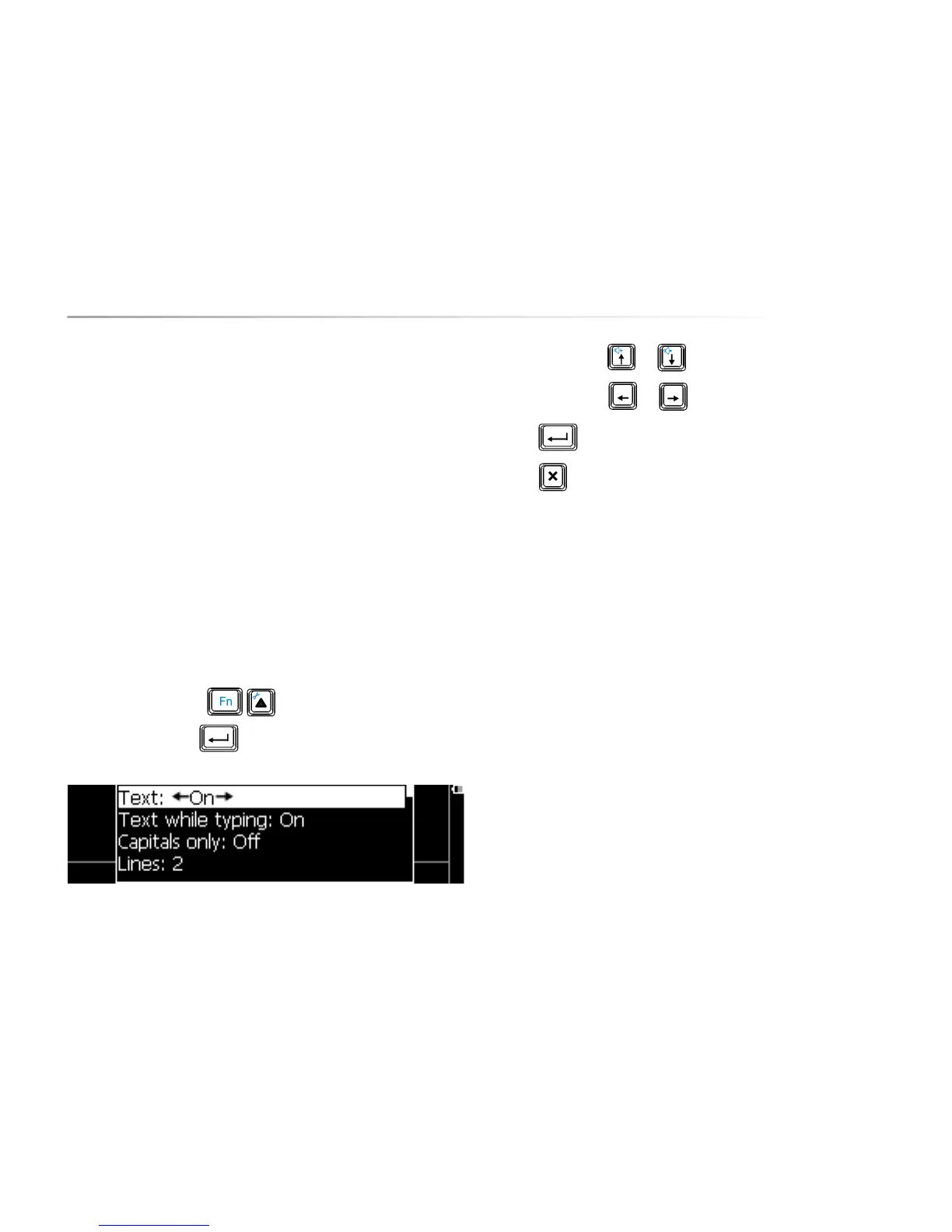
Press the key combination to show the settings menu, choose
Second display and press . The following list appears on the screen:
Use the arrow keys or to choose a parameter.
Use the arrow keys
or to change the value of a parameter.
Press to open a submenu, if available.
Press to leave a submenu.
The following overview explains the different parameters::
10.5.1 Text
When the parameter Text is off, then the 2nd display does not show the
message.
10.5.2 Text while typing
If you don’t want the message to be shown on the 2nd display while you are
typing it, you need to set this parameter to ‘off’. The message will then only be
shown on the second screen when the Allora pronounces it.
10.5.3 Capitals only
When this parameter is set, the characters on the 2nd display will be in capitals
only.


 To Next Page
 Loading...