Allora 2
48
10.5.4 Lines
This parameter specifies how many text lines the 2nd display will support. You
can choose between 1, 2 or 3 lines. The more text lines you choose, the smaller
the characters will be.
10.5.5 Audio
The second display has small speakers. These speakers normally become active
as soon as the 2nd display is disconnected from the Allora and the wireless
connection is established. However, you can decide to keep the sound on the
speakers of the Allora (Audio=off).
10.5.6 Scroll type
This parameter defines how the message will be displayed on the 2nd display
when the message is pronunciated.
'Typewriter' means that the words of the message appear word by word on the
2nd display in synchronization with the speech.
When set to ‘Subtitles’ the 2nd display will try to show as many words as
possible, in synchronism with the speech.
10.6 Prediction
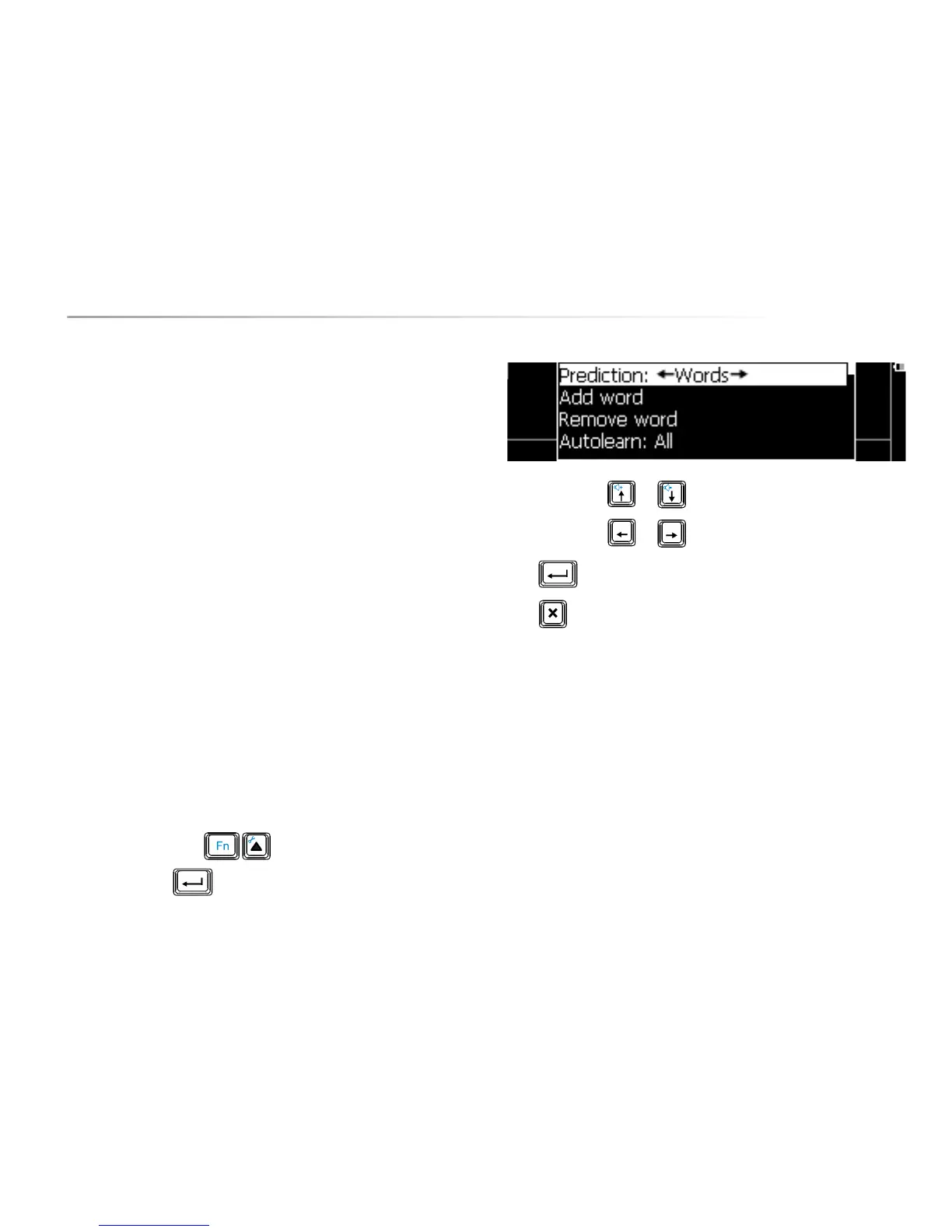
Press the key combination to show the settings menu, choose
Prediction and press . The following list appears on the screen:
Use the arrow keys or to choose a parameter.
Use the arrow keys
or to change the value of a parameter.
Press to open a submenu, if available.
Press to leave a submenu.
The following overview explains the different parameters::
10.6.1 Prediction
You can choose to have word perdition, sentence prediction or no prediction.
In word prediction the Allora will predict a maximum of 5 words. Press figure key
1 to 5 to select the corresponding word.
When using sentence prediction, press figure key 1 to select the sentence, press
figure key 2 to show the next sentence (if available).


 To Next Page
 Loading...