Allora 2
51
10.8 Mobile phone
If your Allora is equipped with a GSM module you can initialize the unit with
these settings. Note that the module only supports sending and receiving text
messages.
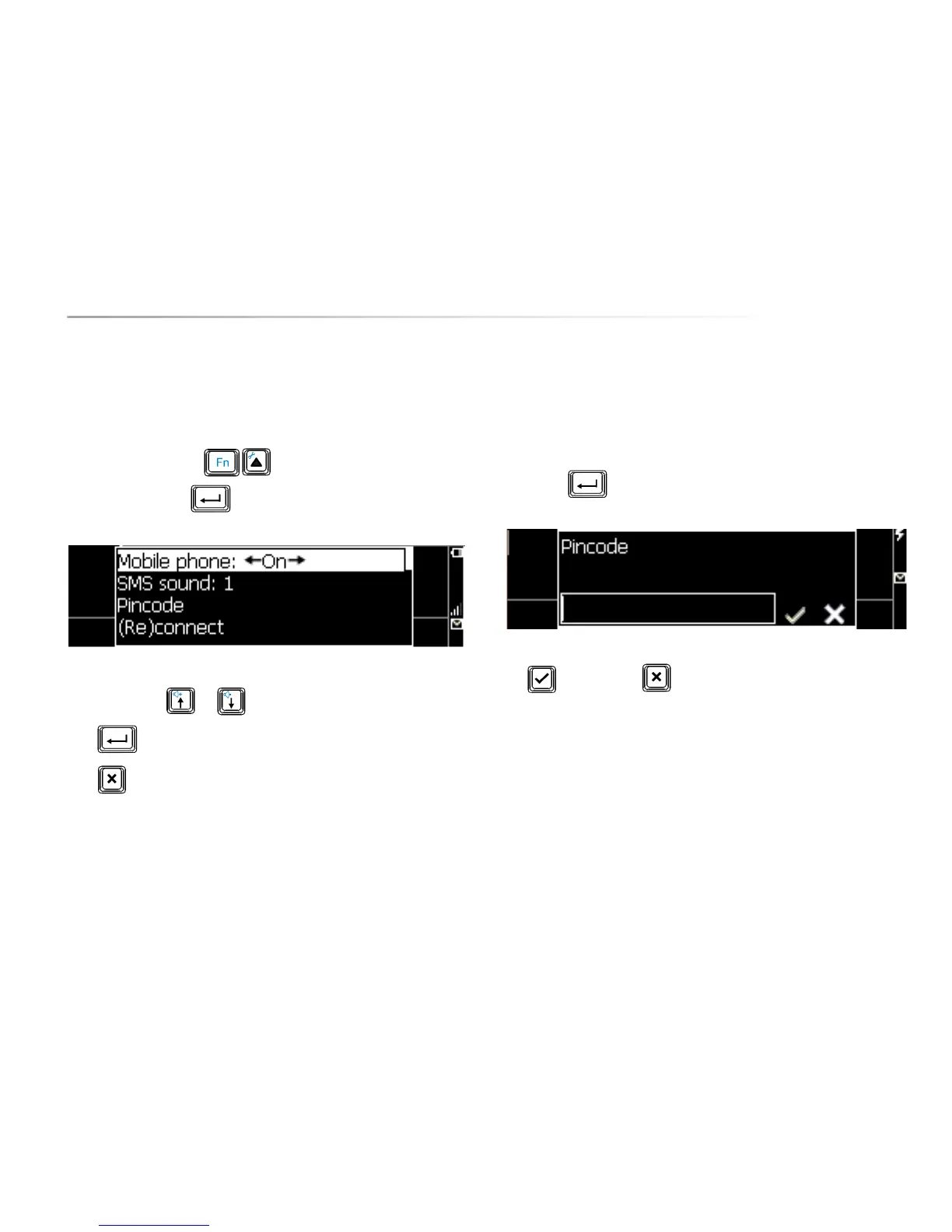
Press the key combination to show the settings menu, choose
Mobile Phone and press . The following list appears on the screen:
Use the arrow keys or to choose a parameter.
Press to open a submenu.
Press to leave a submenu.
10.8.1 Mobile Phone
This setting allows you to switch the mobile Phone unit on or off.
10.8.2 SMS sound
Choose the sound (1 to 3) that you want to hear when a message has been
received.
10.8.3 Pin Code
Press Enter to open the submenu:
Fill in the Pin code that is linked with your SIM card. Confirm with the Validate
key or discard with .
10.8.4 (Re)connect
Once the Pin code has been specified, you need to set up the connection with
the telecom network. The next time you start up your Allora, this will be done
automatically (when the Mobile Phone parameter is set to ‘on’).
If you have lost the connection, use (Re)connect to set up the connection again.


 To Next Page
 Loading...