How to supply power to other electrical appliances
and loads
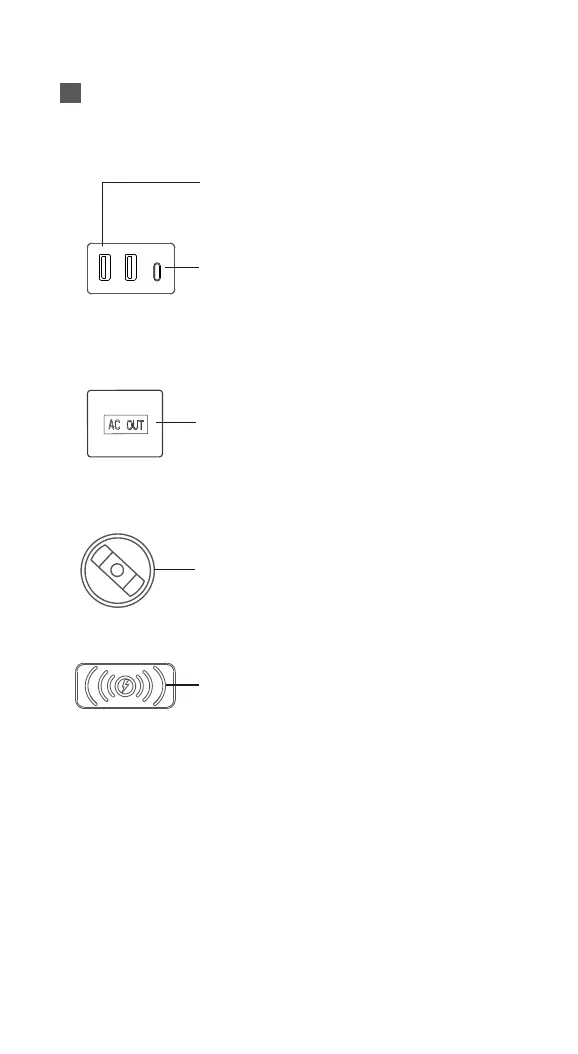
2xUSB output: various smartphones, mobile power
supplies, small USB fans, USB powered devices
1x USB-C: Charging devices that support PD fast
charging protocol, such as smartphones and
mobile ultrabooks, with a power transfer of up to
100W.
1.Before use, it is necessary to check whether the rated
working voltage of your electrical appliances and loads matches
the output voltage of the corresponding port of the system.
When using AC output, it is especially necessary to check for
the risk of overload.
2.For safety reasons, use USB AC、 Before wireless charging
and output, press the control button to turn on the output mode,
and at the same time, The LCD screen is lit up and displays the
total output power.
Wireless charging output: Smartphone (mobile
phone needs to support QI wireless charging
protocol)
1xAC output: All AC household appliances, laptops,
etc. (Before providing emergency power to household
appliances through mains power, please ensure that
the rated power of your household appliances does
not exceed 300W and the surge power does not
exceed 600W). The AC output port comes with
short-circuit protection, but before use or storage,
attention should be paid to avoiding the danger of
internal circuit short circuits caused by liquids or
moisture.
12V car cigarette lighter output: Power supply for
mini car refrigerators, other 12V devices, etc. The car
output port is equipped with short circuit protection,
but please close the car dust plug for protection when
not in use.


 To Next Page
 Loading...