Firmware Upgrade Method of all All Winner A10 Tablet PC – www.w2comp.com
Pick up your best Android Tablet on W2COMP.com –
www.w2comp.com
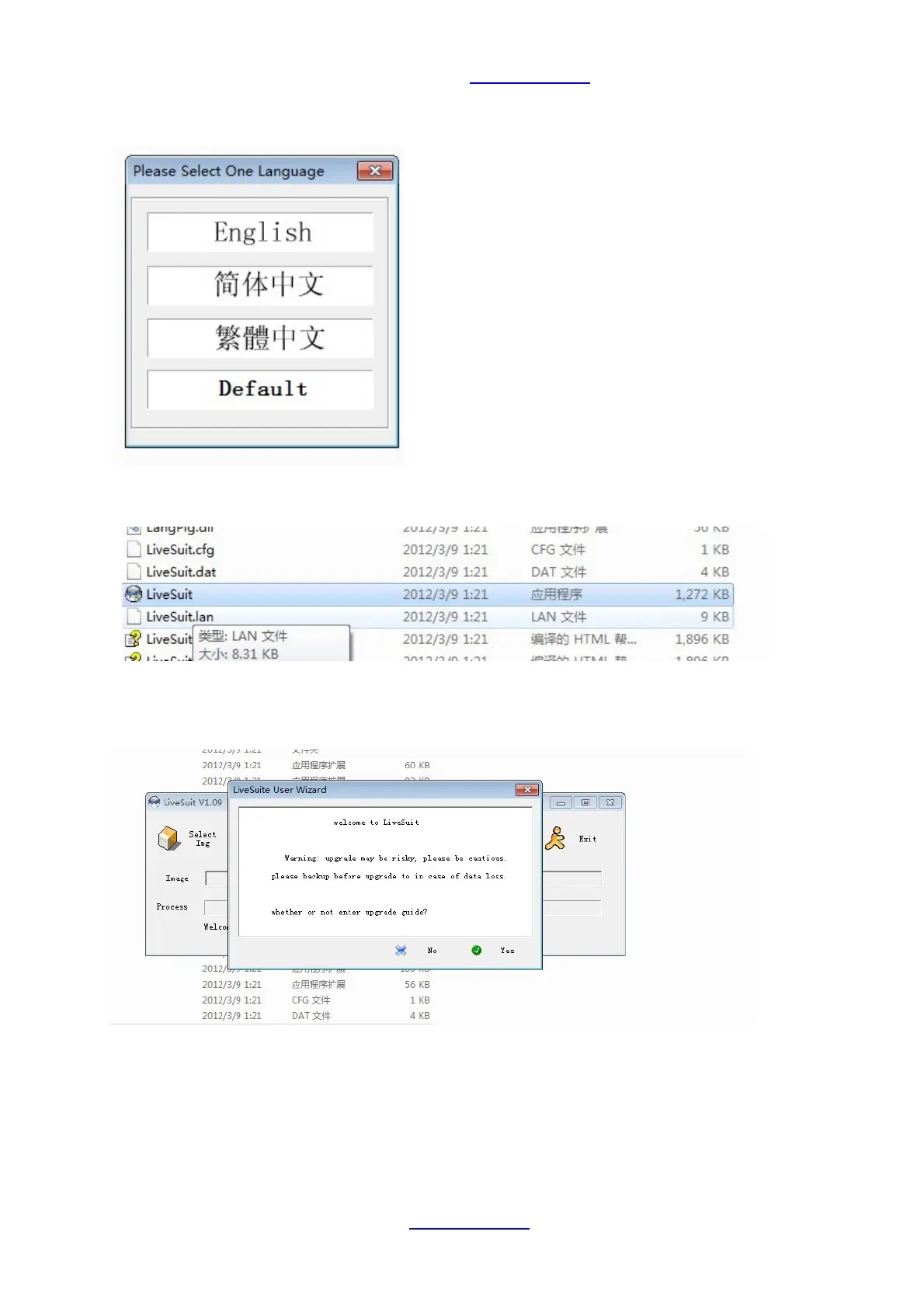
4. Double click the file, you will required to make a slection on language first, just choose “English”:
5. After you make the language selection, the tool will be installed as below:
.
6. Double click the “LiveSuit” icon, you will see as below. It proof that your computer has found the usb driver.
Please choose “no”:



 To Next Page