Page 5 Integra Telecom – Allworx 6X/24X/48X
2/25/2011
6. Enter Integra in the Description field. Select Integra from the list of Services and click Move
to add it to the Service Group.
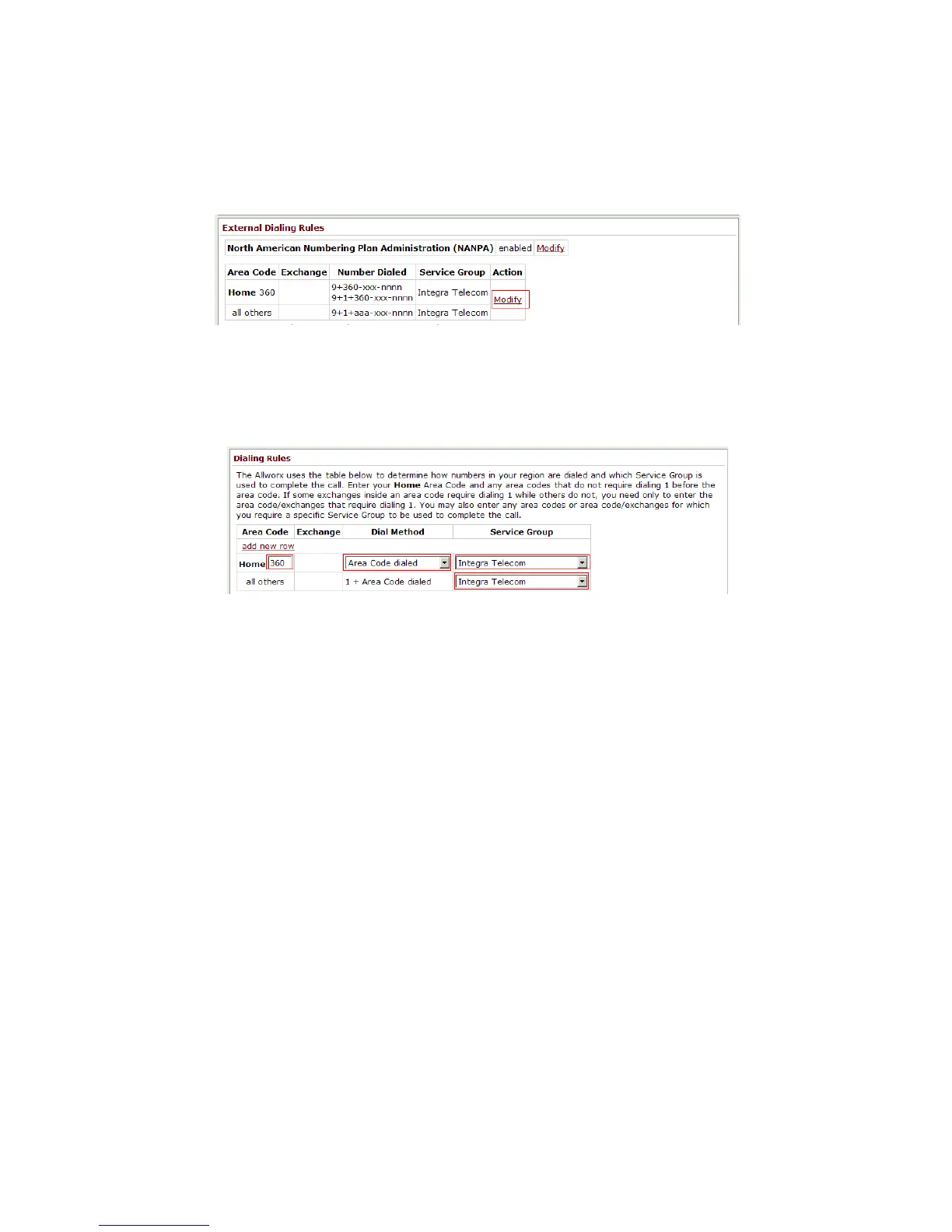
7. Browse to Home >> Phone System >> Dial Plan. In the External Dialing Rules section click on
Modify.
8. Enter your Home area code and chose an appropriate Dial Method for your local calling
area. Select Integra from the Service Group pull down. Repeat these steps for as many area
codes that do not require dialing 1 for your local calling area, adding new rows as necessary.
For all others select Integra from the Service Group pull down.



 To Next Page