Page 4 Integra Telecom – Allworx 6X/24X/48X
2/25/2011
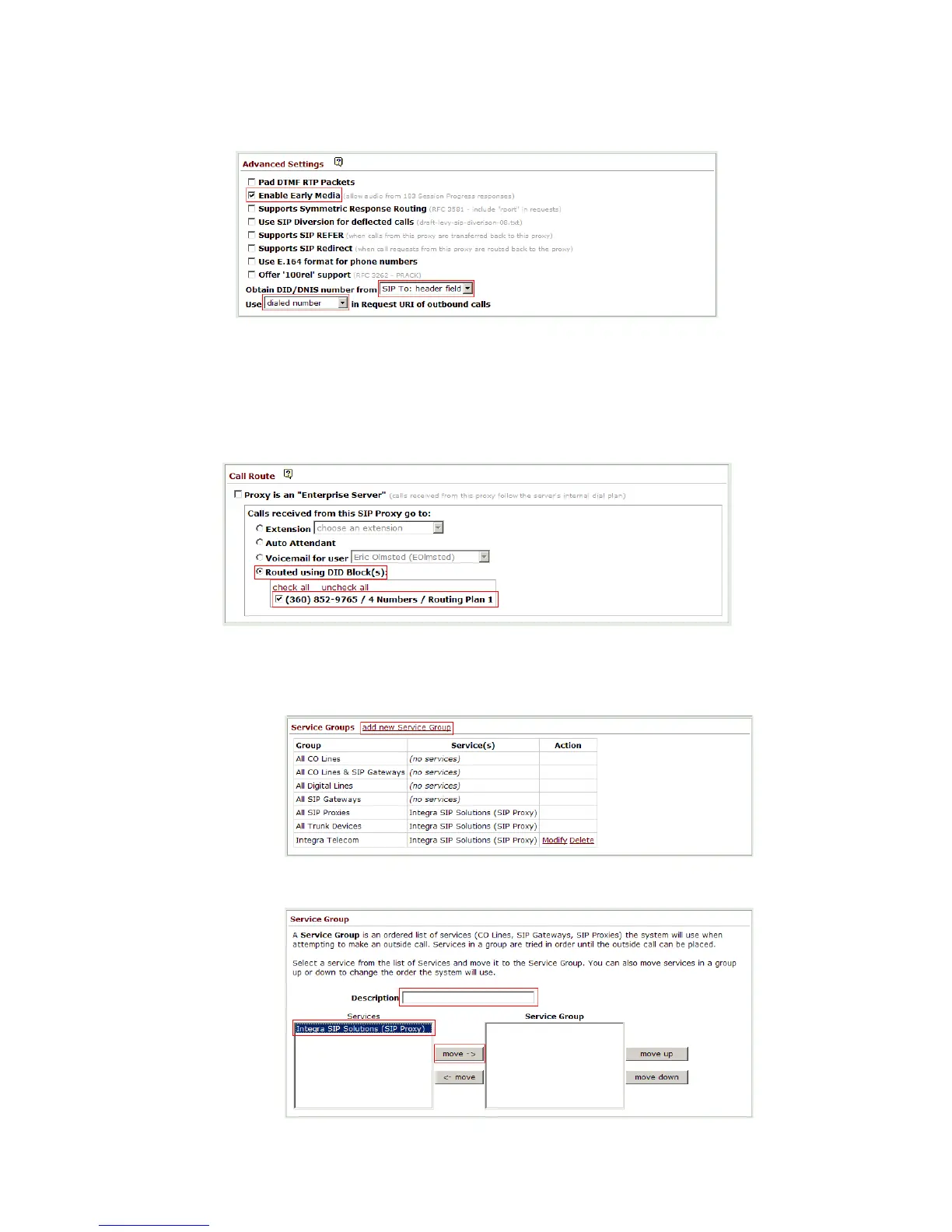
3. In Advanced Settings verify that “Enable Early Media” is checked, “Obtain DID/ DNIS number
from is set to SIP To: header field and “Use” _____ “in Request URI of outbound calls is set
to dialed number.
4. In the Call Route section, ensure that “Routed using DID Block(s)” is selected and check the
appropriate DID block(s) as previously defined in DID Block Setup.
5. In the Service Groups section click on “add new Service Group”.



 To Next Page