EasyManua.ls Logo

almando Multiplay Surround Decoder - User Manual

almando Multiplay Surround Decoder
28 pages
Print Icon
To Next Page IconTo Next Page
Loading...
NO LIMITS TO YOUR HOME ENTERTAINMENT
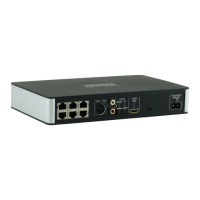
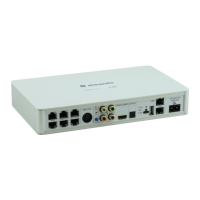
Almando Multiplay Surround Decoder
5.1 Surround Powerlink Outputs for B&O Speakers
HDMI ARC Input for any kind of Television
(e.g. by Grundig, Hisense, LG, Loewe, Metz, Panasonic, Philips,
Samsung, Sharp, Sony, TechniSat, Toshiba, etc.)
Powerlink Input for a Bang & Olufsen Audio System
(e.g. for BeoSound Overture, BeoSound 9000, BeoSound Moment, etc.)
SPDIF and RCA Inputs
(e.g. for Apple Airport Express, Denon Heos, Google Chromecast Audio,
Sonos Connect, etc.)
Almando Multiplay Automatic
(Signal detection, Source Switching with Priority Function,
Speaker On/Off, Auto-Standby)
Bluetooth Modul for Wireless Audio-Streaming
Configuration with Almando Control App
Installation and operating instructions
Question and Answer IconNeed help?

Do you have a question about the almando Multiplay Surround Decoder and is the answer not in the manual?

Summary

Almando Multiplay Surround Decoder Features

5.1 Surround Powerlink Outputs

Connects up to six speakers in a 5.1 setup for Bang & Olufsen audio systems.

HDMI ARC Input for TVs

Enables connection to any TV via HDMI ARC for audio and volume control.

Powerlink Input for B&O Systems

Allows connection to Bang & Olufsen audio systems using Powerlink interface.

SPDIF and RCA Connectivity

Supports various audio devices via SPDIF and RCA connections.

Automatic Operation Features

Includes signal detection, source switching, and auto-standby for convenience.

Bluetooth Audio Streaming

Enables wireless audio streaming via Bluetooth connectivity.

App-Based Configuration

Manages settings and configuration via a dedicated smartphone app.

Safety Instructions

Product Operation and Setup

Initial Setup Guide

Steps for downloading the app, connecting speakers, sources, and powering the device.

Almando Control App

Main Page Overview

Describes the main interface layout and navigation of the Almando Control App.

General Settings Configuration

Configure global settings, reset device to factory defaults, and update firmware.

Speaker Settings Adjustment

Adjust speaker distances, volume levels, and seating positions for optimal sound.

Input Settings Management

Covers configuration of various audio input sources like DIN, HDMI, SPDIF, Bluetooth, and RCA.

Technical Specifications

almando Multiplay Surround Decoder Specifications

Power IconPower
power supply voltage100-240 V
power supply frequency50/60 Hz
USB socket power supply5 V
Weight and Dimensions IconWeight and Dimensions
measurements254 x 156 x 41 mm
weight0.76 kg

Related product manuals