11
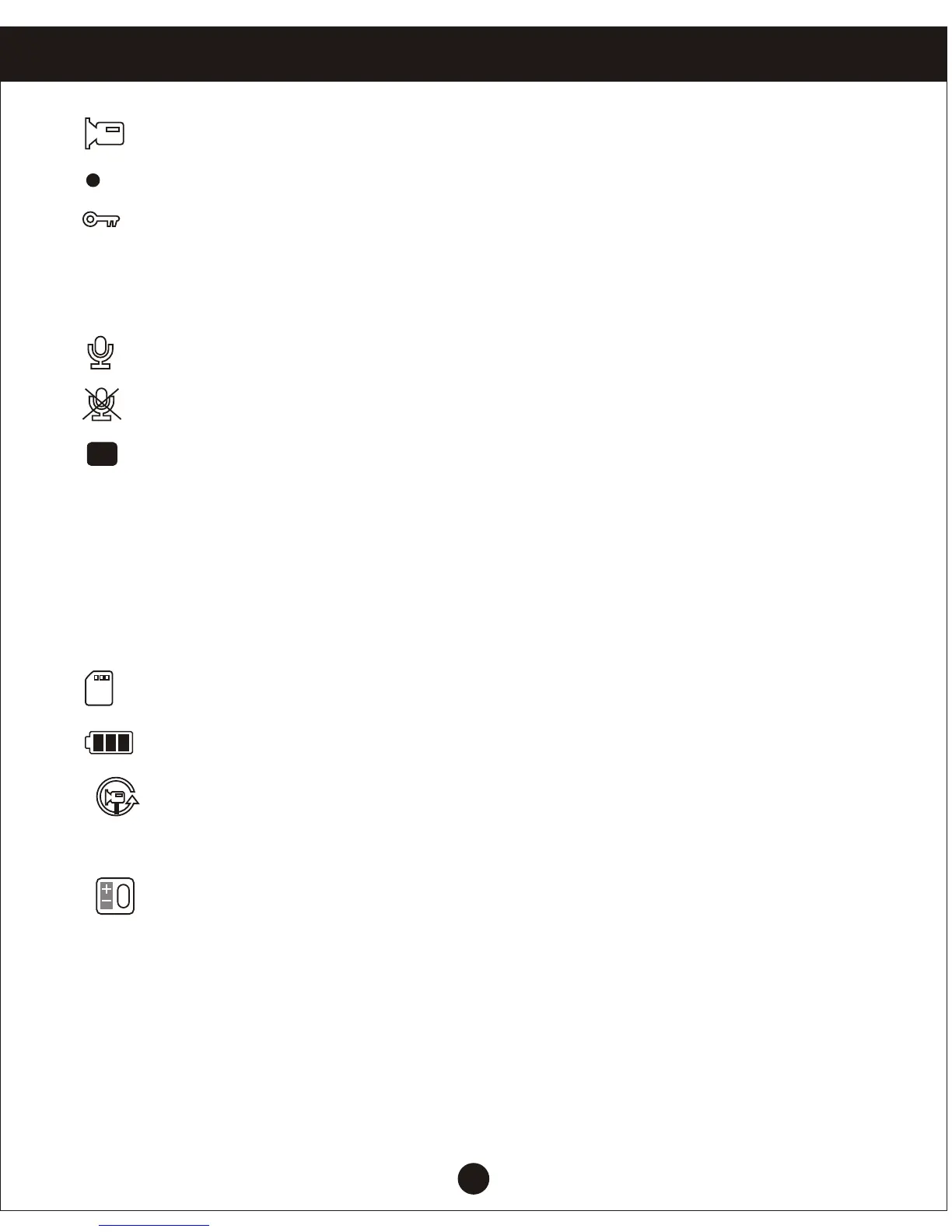
1. : Camera icon indicates camera mode.
2. : Flashing red indicates that the device in the camera work.
3. : Video file icon to open the lock.
When the G-sensor gravity sensor starts, the key icon appears on the screen,
indicating that the current videos is locked video; in short video status button,
you can quickly lock for shooting video.
4. : Open icon recording function.
: Recording function close icon.
5. : Indicating that the parking mode feature is turned on.
6. 00:15:30: White font-memory cards remaining recording time / red font-current
segment recording time.
7.1080P HD: Indicates recording status at this time select the resolution for
1080P HD / 720P /480P can select in the menu “Resolution”, after
which select the appropriate resolution, the screen will display the
appropriate resolution to this position;
8. : Memory card icon is display.
9. : Icon displayed after inserting a memory card.
10. : Cycle time icon imaging segment, the middle number indicates the
cycle recording time.
Menu options are: 1 minute / 2 minutes / 3 minutes / 5 minutes / 10 minutes.
11. : EV exposure compensation icon indicates the currently selected
exposure parameters.
12. 00:00:01: Time display shows the current standard time; before using it for
initial setup.
13. 2014/01/01: Date display, showing the current standard dates before using
it for initial setup.
P
Menu setting operating


 To Next Page