4
Product Overview
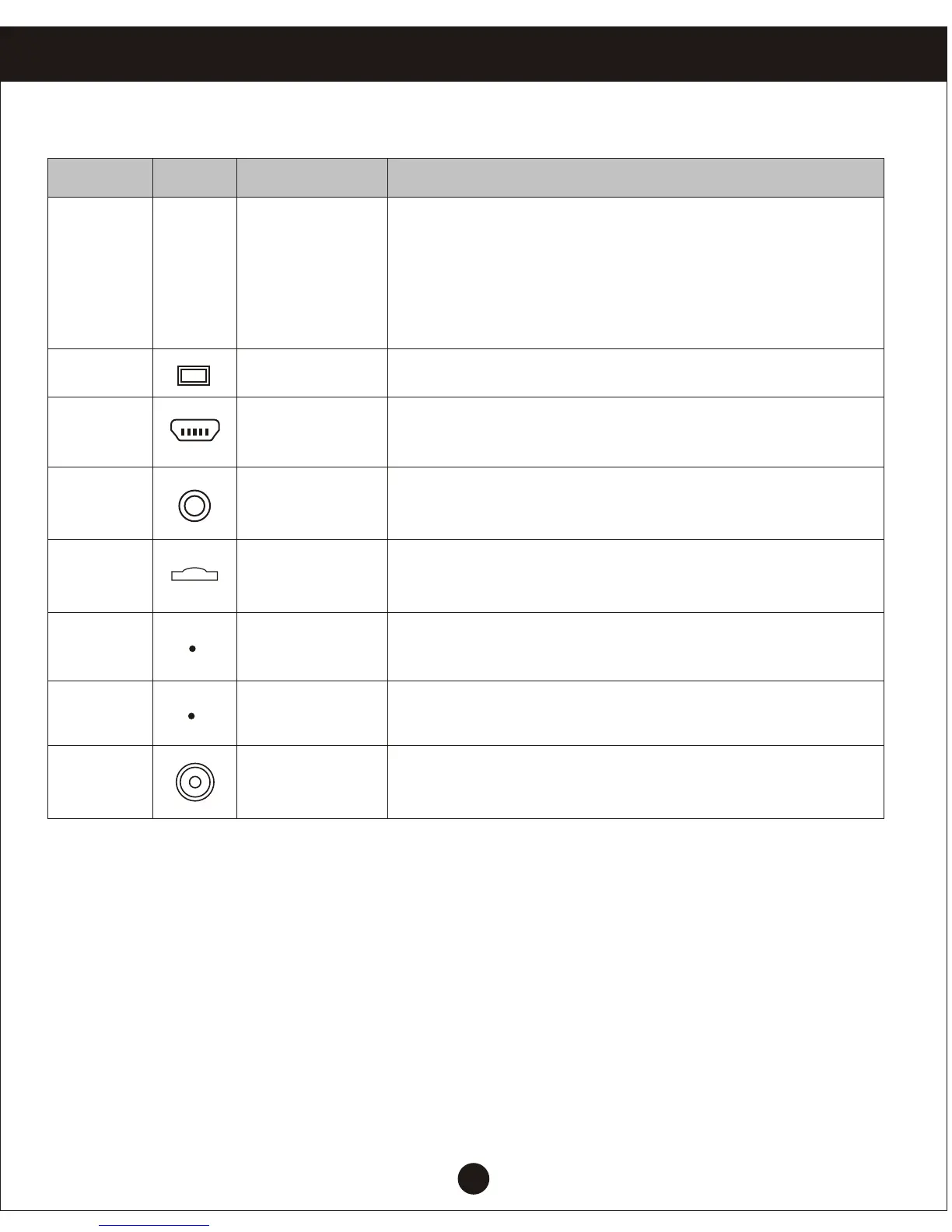
Host keys and interface description
Number Icon
Name
Operating instructions
OK
6
Ok button
Camera/camera/confirm the short press to start
the camera down key, camera mode, press
again to stop recording;
Short press to camera mode to take picture;
the menu mode to confirm the key
7
Display
4.3 inch TFT with HD display screen
8
USB Port
For connecting a PC to transfer data;
Power connector, supplies power
9
AV input port
AV cable is used to connect the video output
to AV equipment
10
MicroSD
card slot
MicroSD memory card slot, install the correct
direct direction tips
11
12
13
Shot
Image acquisition
Reset button
Microphone
Recording receiving port
System restart the reset button


 To Next Page