Step 2
Configuration on AlphaCloud.
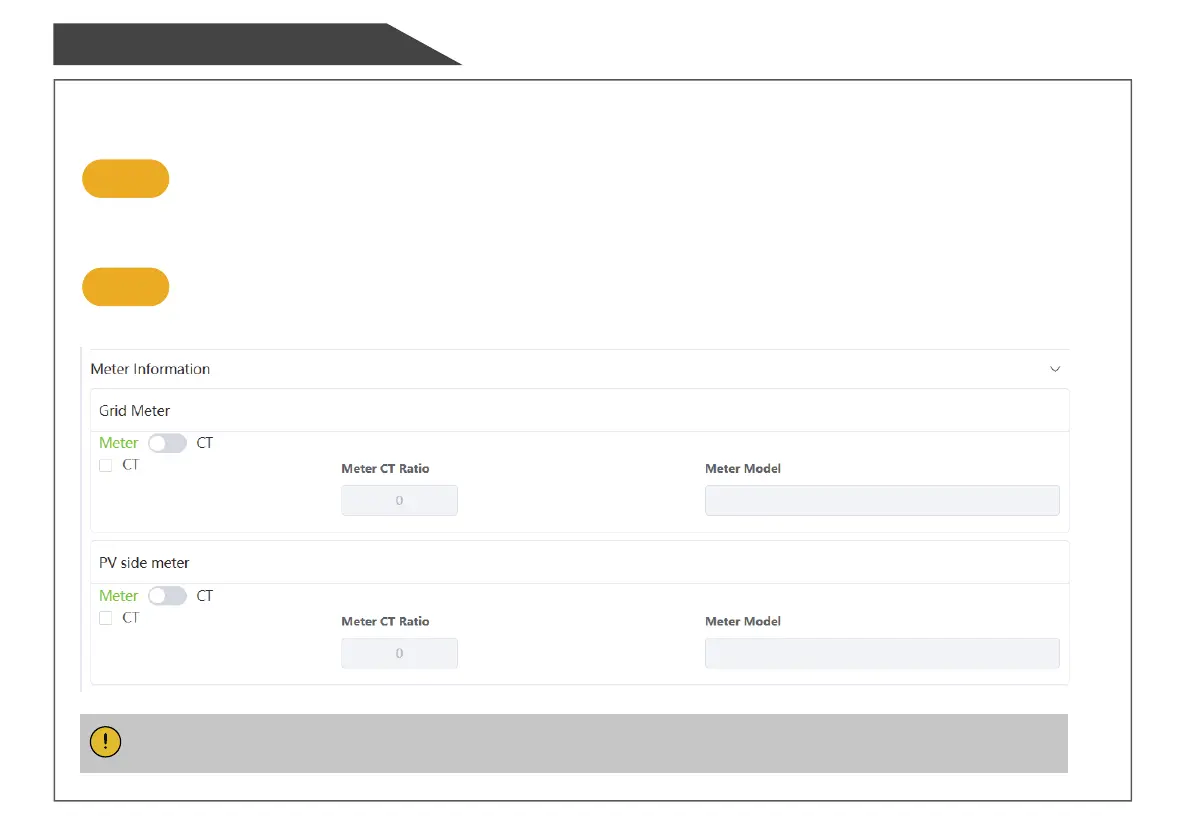
When the system mode is selected as DC, click the button under the "Grid Meter" to make it green.
When the system mode is selected as AC or Hybrid, click the buttons under the "Grid Meter" and "PV side meter"
to make both green.
Step 3
Click "Save" and wait till the page is refreshed.
When the "Meter Model" displays BackupBox-PLUS, the setting is successful.
Configuraon
Note: It is forbidden to tick CT to modify the ratio.


 To Next Page