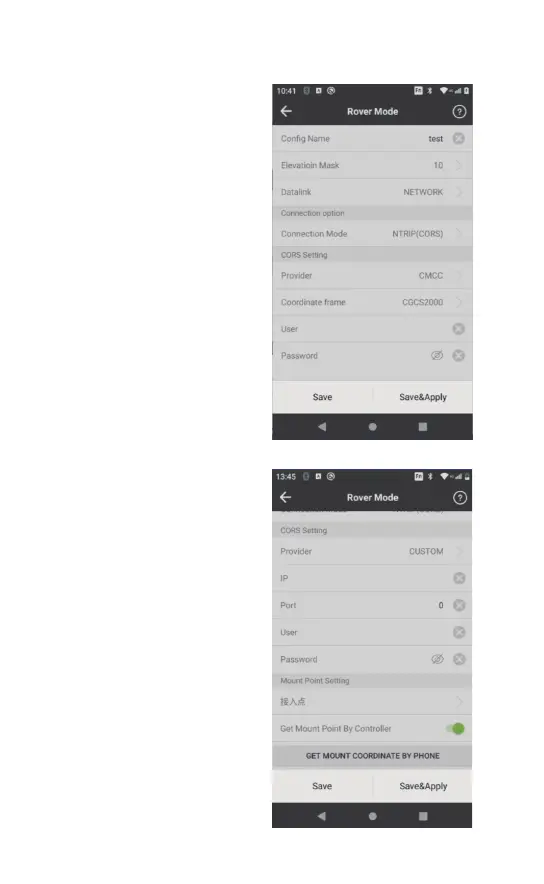
【Network of the instrument】
The mode is connected to
the Internet by the network
of RTK. Open the rover mode
interface, click[New] to
create a new config set. As
for the data link, select the
NETWORK,connection mode
As for the CORS setting,
”motsuc“ esoohc redivorp -
type the right IP address and
ports, username and
password first and then click
[GET MOUNT COORDINATE
BY PHONE] to connect to
the network. Pick the correct
mount point and click
[Save&Apply] to begin
using the network. Wait for
the initialization process of
the rover. The datalink light
on the receiver is green and
flashes once per second,
indicating that the receiver is
able to receive differential



 To Next Page