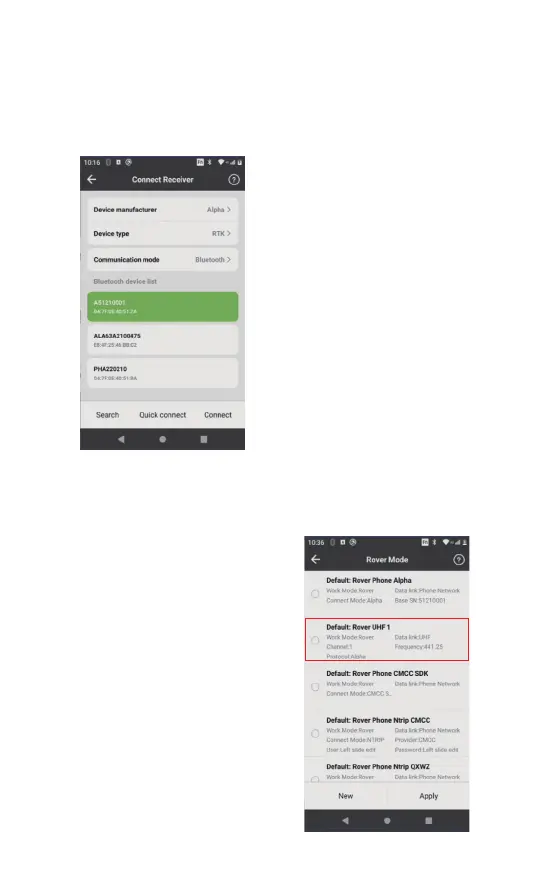
Click[Device]-[Connect Receiver], then search for correspond-
ing serial number to connect the receiver.
①Click [Search] on the bottom
left.
② Choose the corresponding
Alpha device.
③ Click[Connect] to connect the
instrument (bottom right)
(If there is only one Alpha device
nearby, click [Quick connect] on
the middle and the controller will
automatically search and connect
the receiver)
3.2.3 Connection Between Controller And Receiver
3.2.4 Setting Rover Mode
After bluetooth connectivity, click [Device]- [Rover Mode]. The
settings are as follows according to the datalink mode:
【Built-in Radio】 In this mode,
the radio antenna needs to be
inserted, click [Rover
Mode]-[Default:Rover UHF 1],
Click [ Apply] to open the
built-in radio. After setting,
the data link indicator light on
the recriver flashes once per
second, indicates that
differential data is received
normally.


 To Next Page
 Loading...