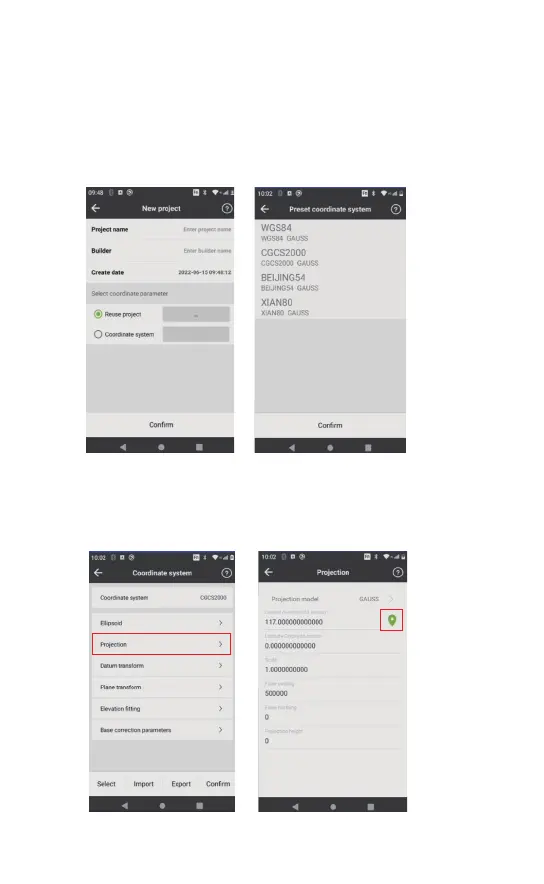
Open the DiMap, select [Project]-[Project management]-[New ] and
then name the new project;
Select the coordinate system in the“Preset coordinate system” to
confirm the new project in the new interface.
3.2.2 Create A New Project
Click the positioning button to get the local central meridian
in the Projection interface of the Coordinate system setting.
Then go back and click [Confirm] to keep the settings.



 To Next Page