38
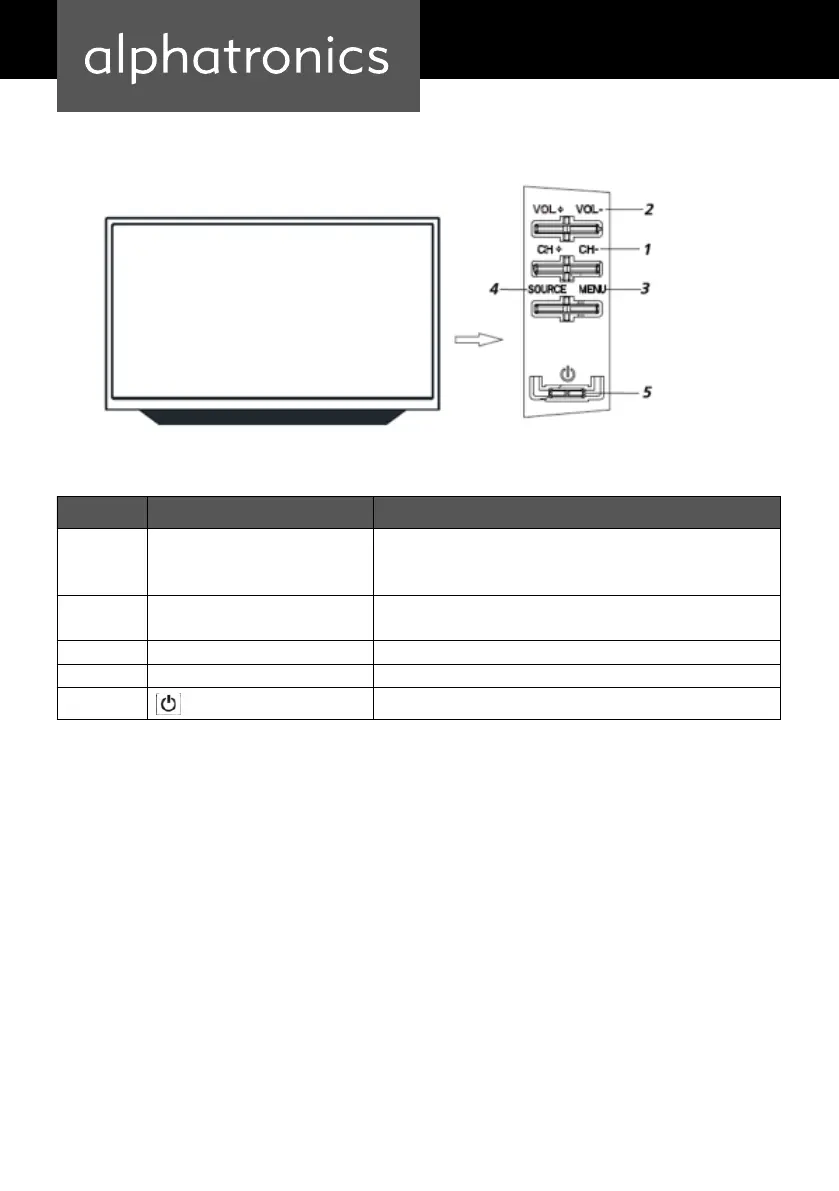
LOCATION AND FUNCTION OF CONTROLS
Item Button Name Description
1 CH+/- When you are watching the TV program, press these buttons to
select channel in ascending or descending order. Select the upper or
lower menu item in the OSD menu.
2 VOL+/- Increase or decrease the volume.
Adjust the values of the selected menu item in the OSD menu.
3 MENU Enter or exit from the menu
4 Source Select an input signal.
5
Switch on the LED TV when at standby mode or vice versa.
Der Ein-/Ausschalter befindet sich rechts unten außen am Gerät.
Attention:
Power indicator lights blue in standby and no light when TV is switched on.


 To Next Page