EasyManua.ls Logo

Alpine 5903 - Page 15

Alpine 5903
34 pages
Print Icon
To Next Page IconTo Next Page
To Previous Page IconTo Previous Page
Loading...
@
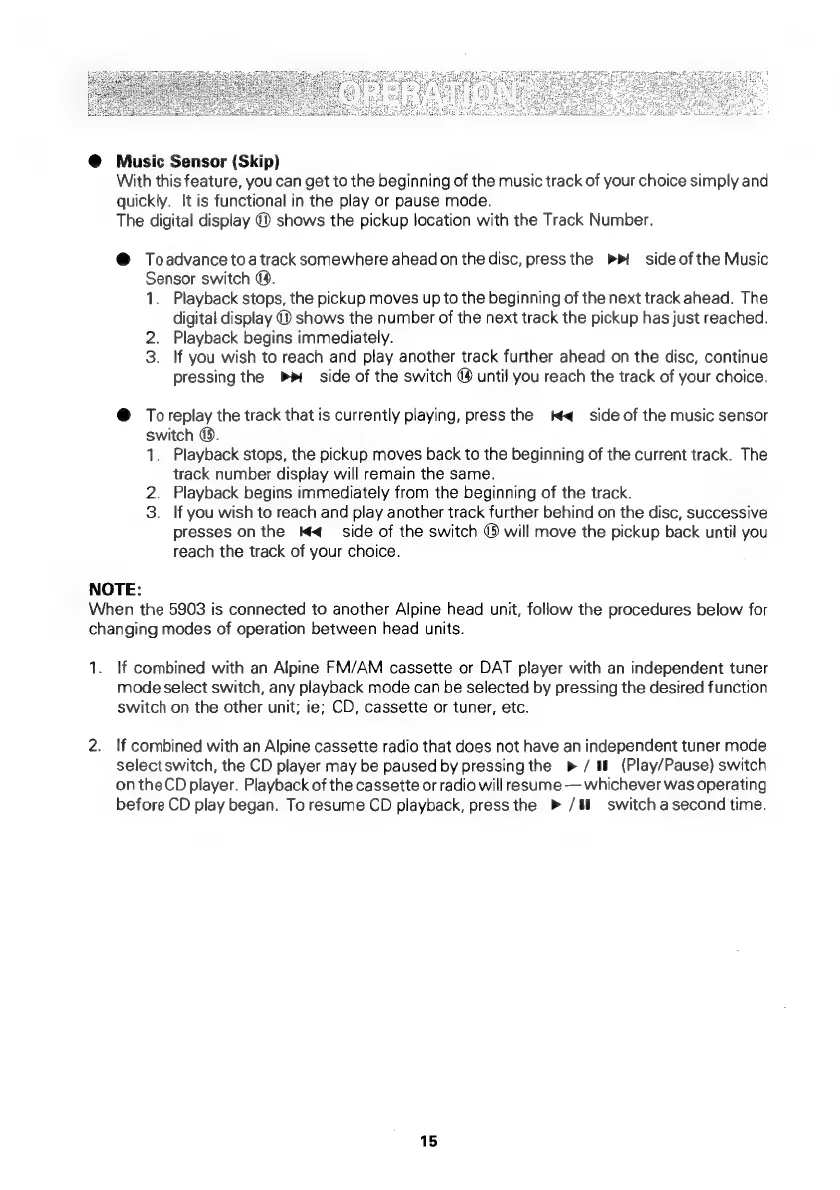
Music
Sensor
(Skip)
With
this
feature,
you
can
get
to
the
beginning
of
the
music
track
of
your
choice
simply
and
quickly.
It
is
functional
in
the
play
or
pause
mode.
The
digital
display
@
shows
the
pickup
location
with
the
Track
Number.
@
Toadvance
toa
track
somewhere
ahead
on
the
disc,
press
the
PP
side
ofthe
Music
Sensor
switch
@.
1.
2.
3.
Playback
stops,
the
pickup
moves
up
to
the
beginning
of
the
next
track
ahead.
The
digital
display
@
shows
the
number
of
the
next
track
the
pickup
has
just
reached.
Playback
begins
immediately.
If
you
wish
to
reach
and
play
another
track
further
ahead
on
the
disc,
continue
pressing
the
side
of
the
switch
@
until
you
reach
the
track
of
your
choice.
@
Toreplay
the
track
that
is
currently
playing,
press
the
W<_
side
of
the
music
sensor
switch
@.
1.
2.
3.
NOTE:
Playback
stops,
the
pickup
moves
back
to
the
beginning
of
the
current
track.
The
track
number
display
will
remain
the
same.
Playback
begins
immediately
from
the
beginning
of
the
track.
If
you
wish
to
reach
and
play
another
track
further
behind
on
the
disc,
successive
presses
on
the
MH
side
of
the
switch
©
will
move
the
pickup
back
until
you
reach
the
track
of
your
choice.
When
the
5903
is
connected
to
another
Alpine
head
unit,
follow
the
procedures
below
for
changing
modes
of
operation
between
head
units.
1.
If
combined
with
an
Alpine
FM/AM
cassette
or
DAT
player
with
an
independent
tuner
mode
select
switch,
any
playback
mode
can
be
selected
by
pressing
the
desired
function
switch
on
the
other
unit;
ie;
CD,
cassette
or
tuner,
etc.
2.
If
combined
with
an
Alpine
cassette
radio
that
does
not
have
an
independent
tuner
mode
selectswitch,
the
CD
player
may
be
paused
by
pressing
the
p>
/
i
(Play/Pause)
switch
on
theCD
player.
Playback
of
the
cassette
or
radio
will
resume
whichever
was
operating
before
CD
play
began.
To
resume
CD
playback,
press
the
»
/§l
switch
a
second
time.
15

Related product manuals