EasyManua.ls Logo

Alpine CDA-7939R - Page 7

Alpine CDA-7939R
47 pages
Print Icon
To Next Page IconTo Next Page
To Previous Page IconTo Previous Page
Loading...
sfe
ly
for
@)
ef=\cel
sell
English
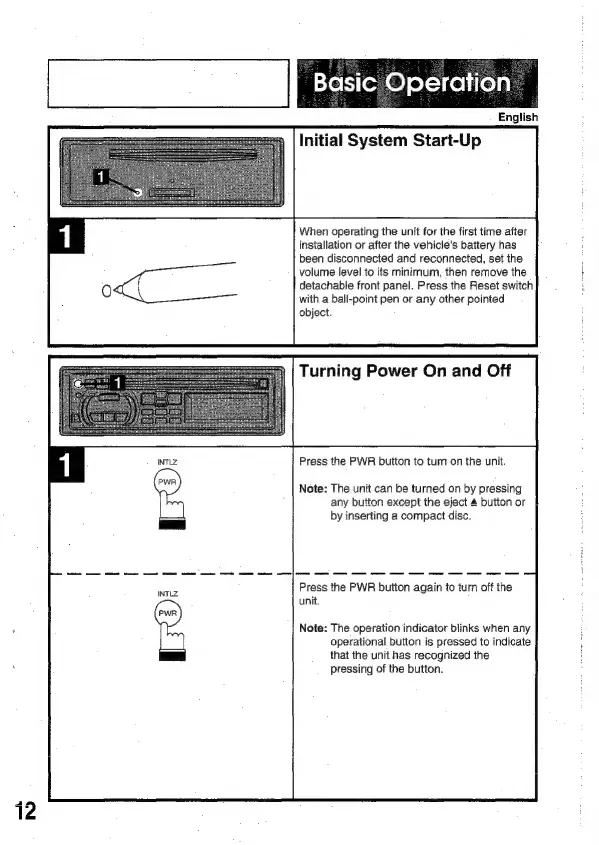
Initial
System
Start-Up
When
operating
the
unit
for
the
first
time
after
installation
or
after
the
vehicle's
battery
has
been
disconnected
and
reconnected,
set
the
volume
level
to
its
minimum,
then
remove
the
detachable
front
panel.
Press
the
Reset
switch
with
a
ball-point
pen
or
any
other
pointed
object.
Turning
Power
On
and
Off
Press
the
PWR
button
to
turn
on
the
unit.
Note:
The
unit
can
be
turned
on
by
pressing
any
button
except
the
eject
4
button
or
by
inserting
a
compact
disc.
Press
the
PWR
button
again
to
turn
off
the
unit.
Note:
The
operation
indicator
blinks
when
any
operational
button
is
pressed
to
indicate
that
the
unit
has
recognized
the
pressing
of
the
button.

Related product manuals